Non BitGo Recoveries For Hot Wallets
Note: This is a disaster recovery method for self-custody hot wallets. It creates a fully signed transaction using the user key and backup key from your wallet keycard, without requiring BitGo's infrastructure. Use this method if BitGo is unavailable or if you need to recover funds independently. For the Non BitGo recovery process for cold wallets, please refer to this article.
Important: When you choose a KRS provider for the wallet keys, that provider has to participate in the recovery or tool can't be used
If trying to recover from a self-managed cold wallet, use the Build Unsigned Sweep flow in WRW instead. Here are some articles for recovering coins stored in BitGo.
Prerequisites
Download the latest version of the Wallet Recovery Wizard (WRW) from this Github link. Have your wallet keycard ready — you will need the values from Box A, Box B, and Box C.
Steps
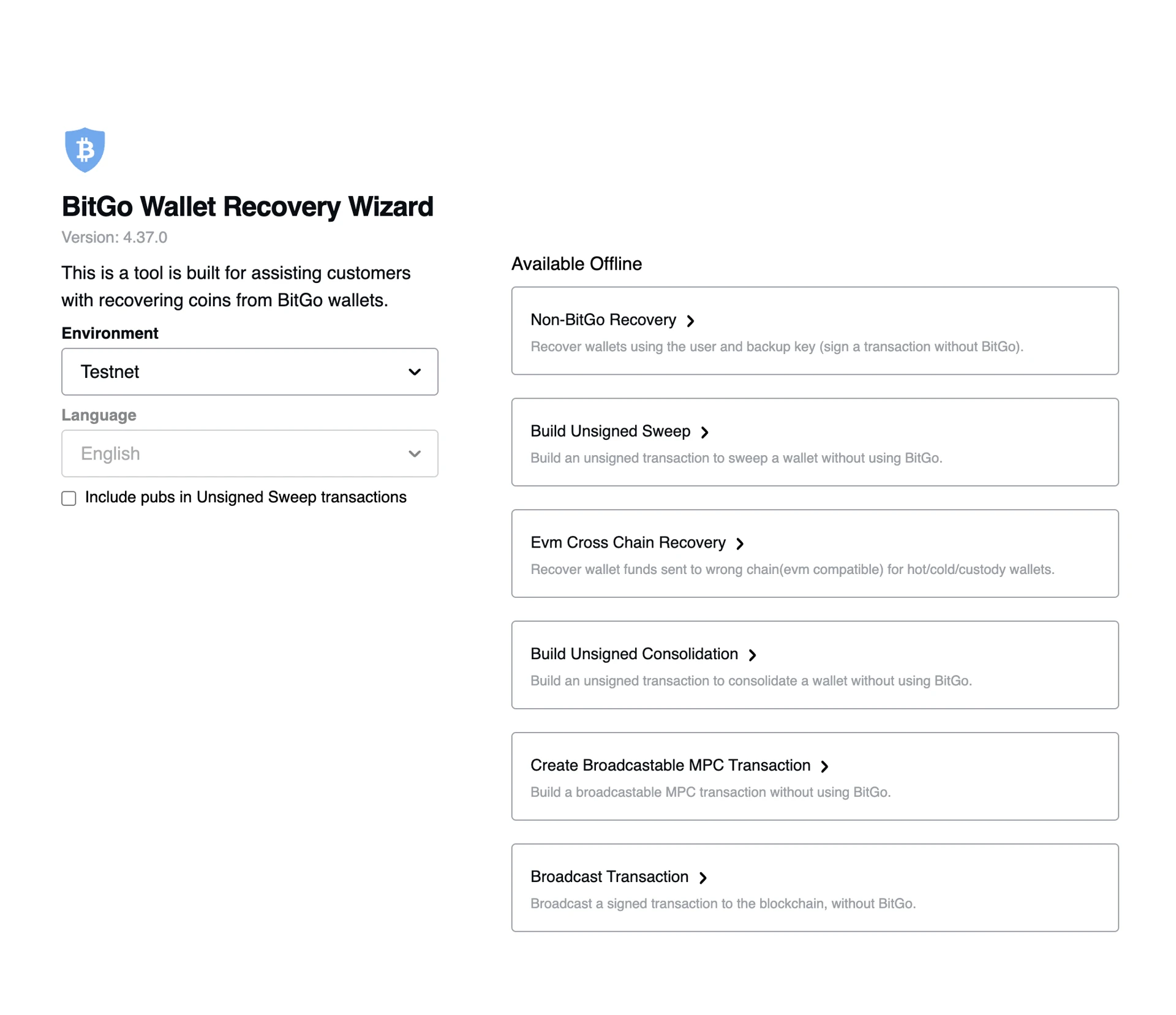
- Open WRW and select the correct environment:
- Testnet — for test wallets
- Mainnet — for production wallets
- Select Non-BitGo Recovery from the left navigation.
- Select the coin and the key recovery service (select "None" if you did not use a third-party key recovery service when creating the wallet).
Note: The dropdown of currencies reflects all currently supported coins and tokens.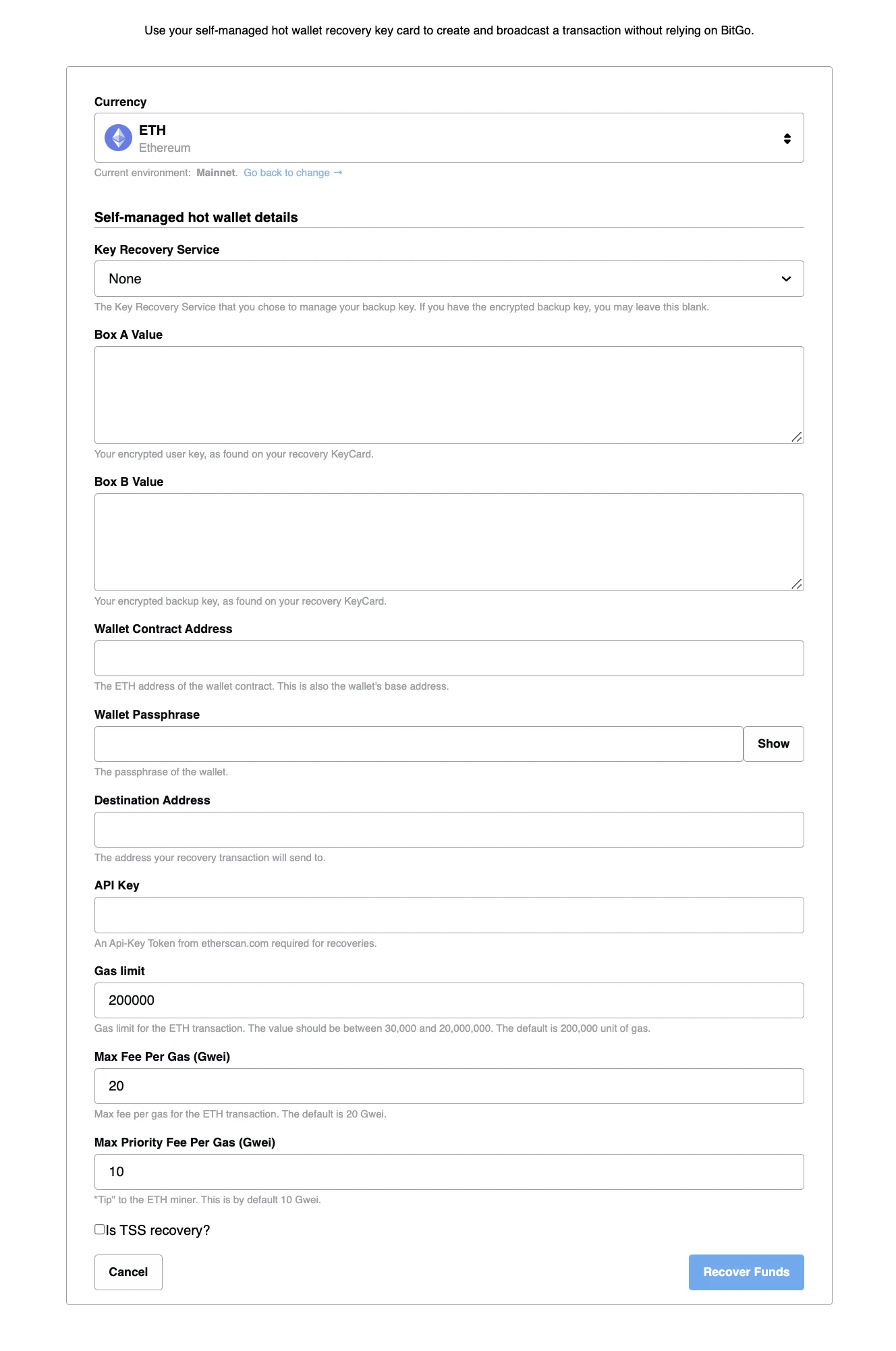
- Fill in the following fields:
- Box A Value: Your encrypted user key, as printed on your wallet keycard.
Note: for non-TSS multisig wallets, include the full JSON object, including the curly braces {} - Box B Value: Your encrypted backup key, as printed on your wallet keycard.
- Box C Value: The BitGo public key, as printed on your wallet keycard.
- Wallet Passphrase: The passphrase for the wallet you are recovering from. This is used to decrypt the encrypted keys. You can leave this blank if you are entering a private key instead.
- Private Key (xprv): Your decrypted private key. If you entered a wallet passphrase, this field is not needed.
- Destination Address: The address where recovered funds will be sent. This must be a non-BitGo address that supports the coin or token you are recovering.
- API Key (some coins only): Certain coins require a block explorer API key to look up balances and unspent outputs. The form will indicate which explorer to generate the API key from (e.g., Etherscan for ETH).
- Address Scanning Factor (UTXO coins only): The number of consecutive addresses without transactions to scan before the tool stops. If your wallet has large gaps between used receive addresses, increase this value. For example, if there is a deposit on receive address #1 but nothing on addresses #2 through #50, set the factor to at least 50.
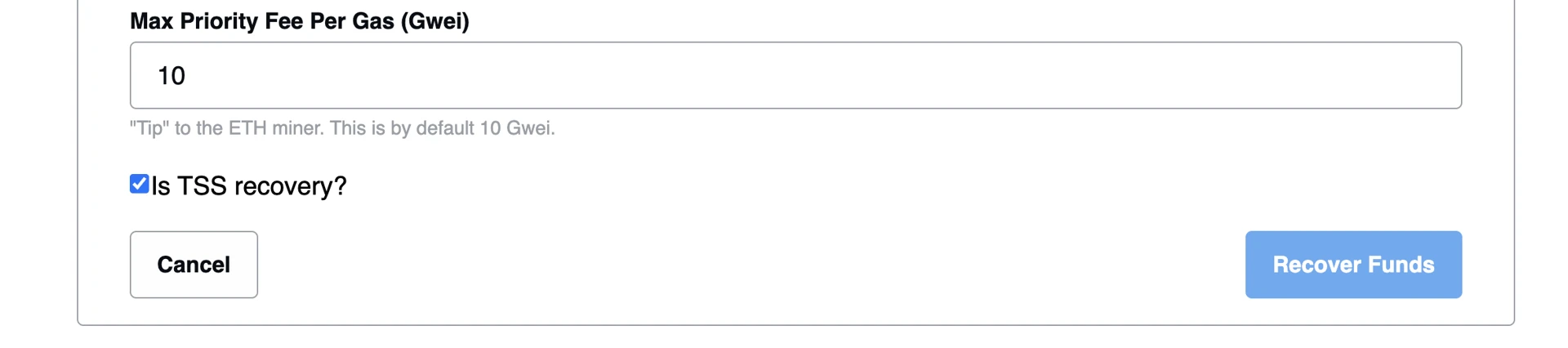
- Is TSS Recovery? (MPC wallets only): If your wallet is an MPC (TSS) wallet, enable this checkbox before proceeding.
- Box A Value: Your encrypted user key, as printed on your wallet keycard.
- Click Recover Funds to generate the recovery transaction. The tool will produce a JSON file — save it to your computer.
Broadcasting the Transaction
After WRW generates the recovery JSON file, you must broadcast the transaction to the blockchain to complete the recovery.
- Using WRW: For some coins, WRW has a built-in Broadcast Transaction option. Navigate to this section in WRW, upload the recovery JSON file, and submit.
- Using an external service: If WRW does not support broadcasting for your coin, open the JSON file, copy the transaction hex (txHex), and broadcast it using an appropriate blockchain broadcast tool or API for your coin's network.
Important: For some coins (such as Solana), transactions have a limited broadcast window. If you do not broadcast in time, you will need to regenerate the recovery transaction from WRW.
Troubleshooting
If you receive an error during recovery, click the Copy Debug Information button to capture the full error details, then contact support@bitgo.com with the debug information attached.
Was this article helpful?
That’s Great!
Thank you for your feedback
Sorry! We couldn't be helpful
Thank you for your feedback
Feedback sent
We appreciate your effort and will try to fix the article