The BitGo Admin Console
This article explains what the BitGo Admin Console is, how Organizations and Enterprises are structured, who can access the console, and how member roles work.
BitGo’s Admin Console is a powerful tool designed to help you manage your users’ roles and permissions in one place within the BitGo platform. This centralized dashboard provides an adaptable framework for user management that can be easily scaled or modified to meet your needs. Easily onboard new members, offboard members, and update permissions from an intuitive interface while maintaining complete control and visibility into who can do what within your organization.
Admin Console Basics
Architecture
An Organization groups multiple Enterprises together to allow streamlined role and permission management. An Enterprise groups wallets together and allows for easier wallet management.
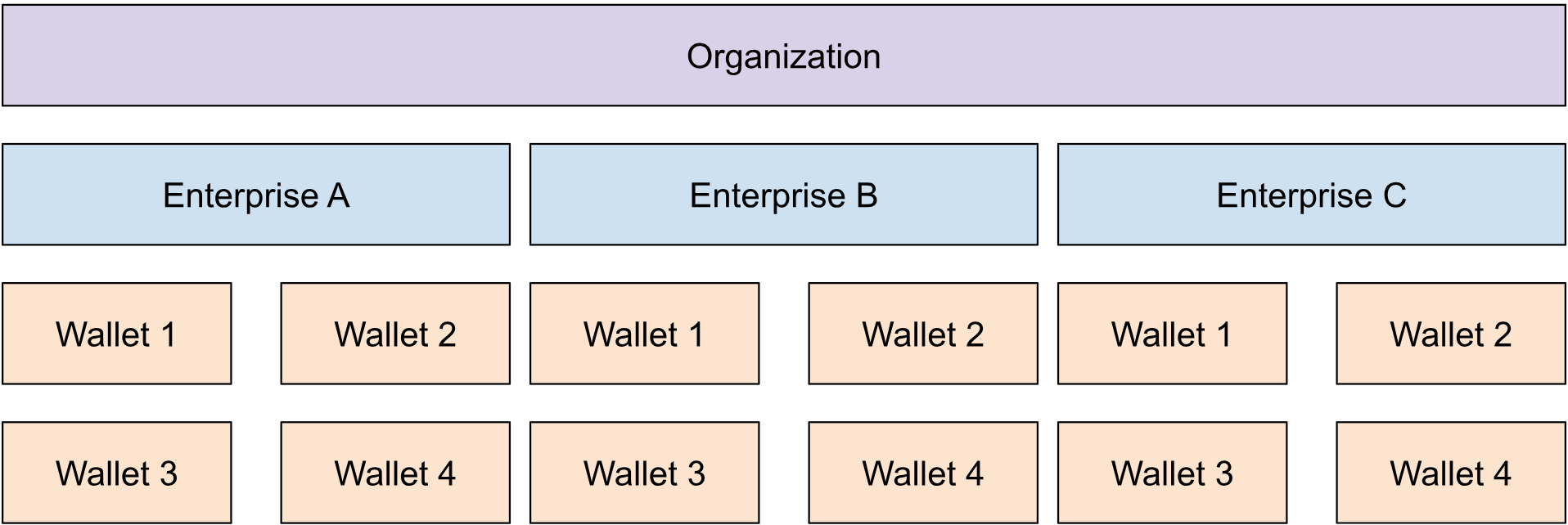
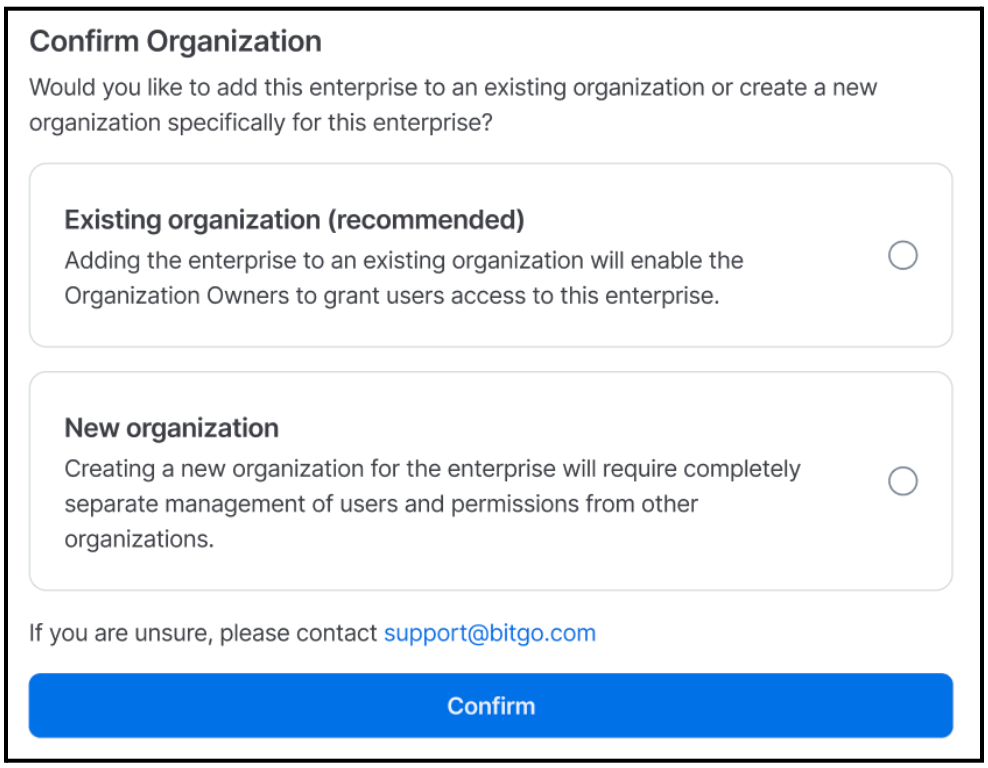
If your company adds/creates new enterprises these can be added to an existing Organization (recommended) or you can create a new Organization to add it to.
Access
The Admin Console can only be accessed by Organization Admin to manage their organization’s users. If an Organization Admin is tied to multiple Organizations, they will have the ability to switch between Organizations from the Admin Console as well.
KYC
All members within an organization, including the Organization Admins, are required to fulfill know-your-client (KYC) requirements for each enterprise that they have access to. Additionally, if the organization has enterprises that span multiple jurisdictions, its members will be required to fulfill the highest level of requirements depending on the jurisdiction.
Members
Members can belong to multiple organizations and be assigned to Default or Custom roles with specific permissioning across wallets and enterprises in the Organization. For more information on roles and permissions, refer to the Roles and Permissions section.
Was this article helpful?
That’s Great!
Thank you for your feedback
Sorry! We couldn't be helpful
Thank you for your feedback
Feedback sent
We appreciate your effort and will try to fix the article