Allocate
Allocate via Go Network enables clients to secure assets in BitGo’s qualified custody while trading with Go Network Off-Exchange Settlement (OES) partner venues. These funds remain with BitGo in qualified custody until time of settlement. BitGo will settle at a predetermined cadence with OES partners, typically once every 24 hours. This helps:
Manage counterparty risk: funds do not leave qualified custody, even while trading
Increase operational efficiency: trade across multiple venues from a single, integrated qualified custody account
Provide extensive access: trade and settle thousands digital assets with leading Go Network OES partners
The key distinction for Go Network OES is that assets remain in your name (no title transfers required) in BitGo regulated qualified custody vs. self custody or held on our OES partners’ platforms. BitGo was designed to secure billions of dollars of digital assets across the globe and takes a no-compromise approach to security. BitGo also maintains $250M in insurance against theft, loss or misuse and utilizes a bankruptcy-remote structure where your assets are segregated from BitGo’s.
BitGo has earned both SOC 2 Type 1 and SOC 2 Type 2 certifications from outside auditors reinforcing our commitment to establishing and following the most secure practices to keep client assets safe.
OES Partner Matrix
Our current Go Network OES partners include the following venues. We are continually expanding our network and partnering with top-tier venues to provide secure access to digital asset markets.
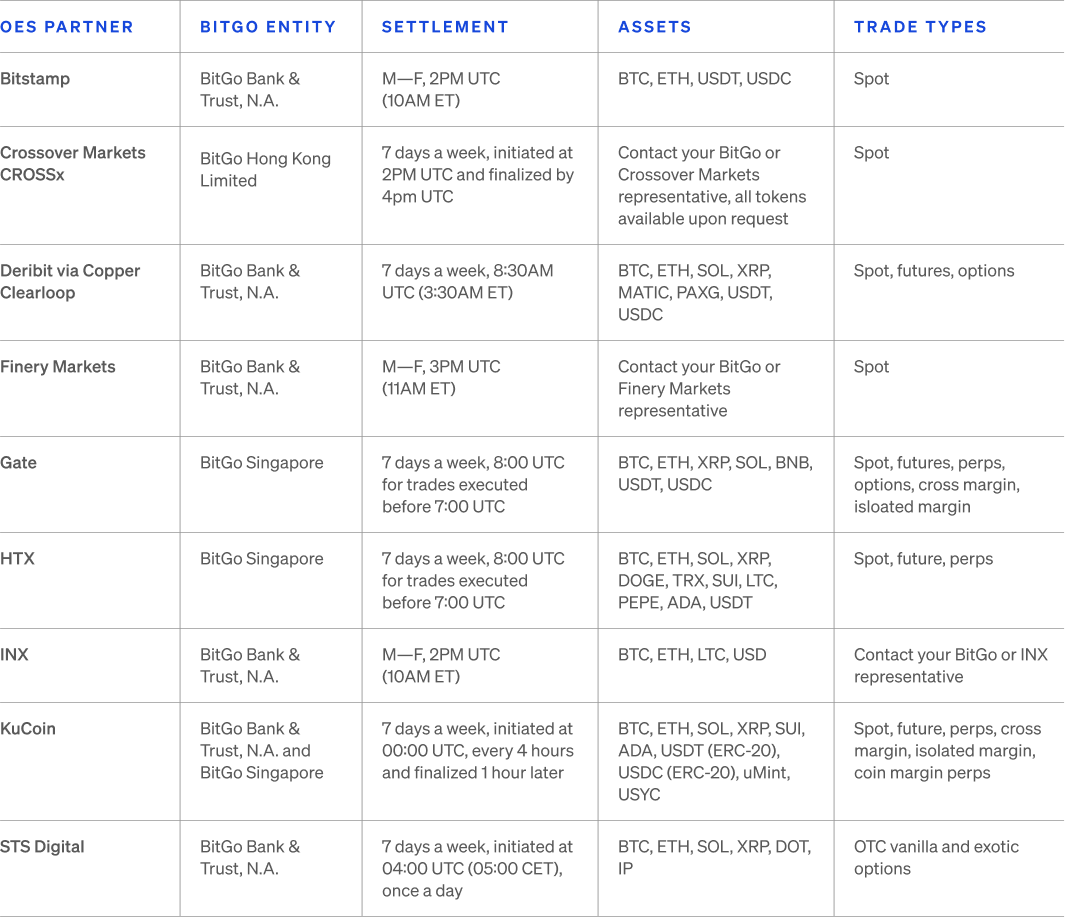
Reach out to your BitGo and OES partner representative to discuss adding additional assets to the OES integration.
Activate a Connection to an Exchange
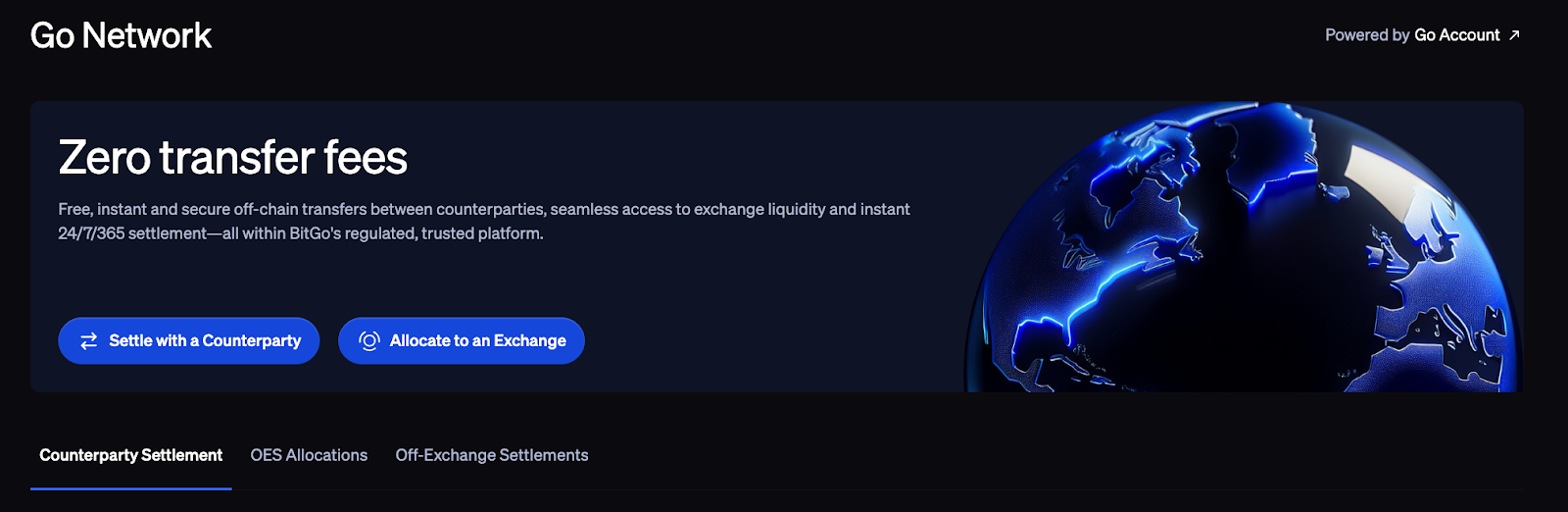
To connect to a Go Network partner exchange, navigate to the Go Network tab in the left navigation bar and click on OES Allocations.
1. On the right hand side, click Manage My Connected Exchanges
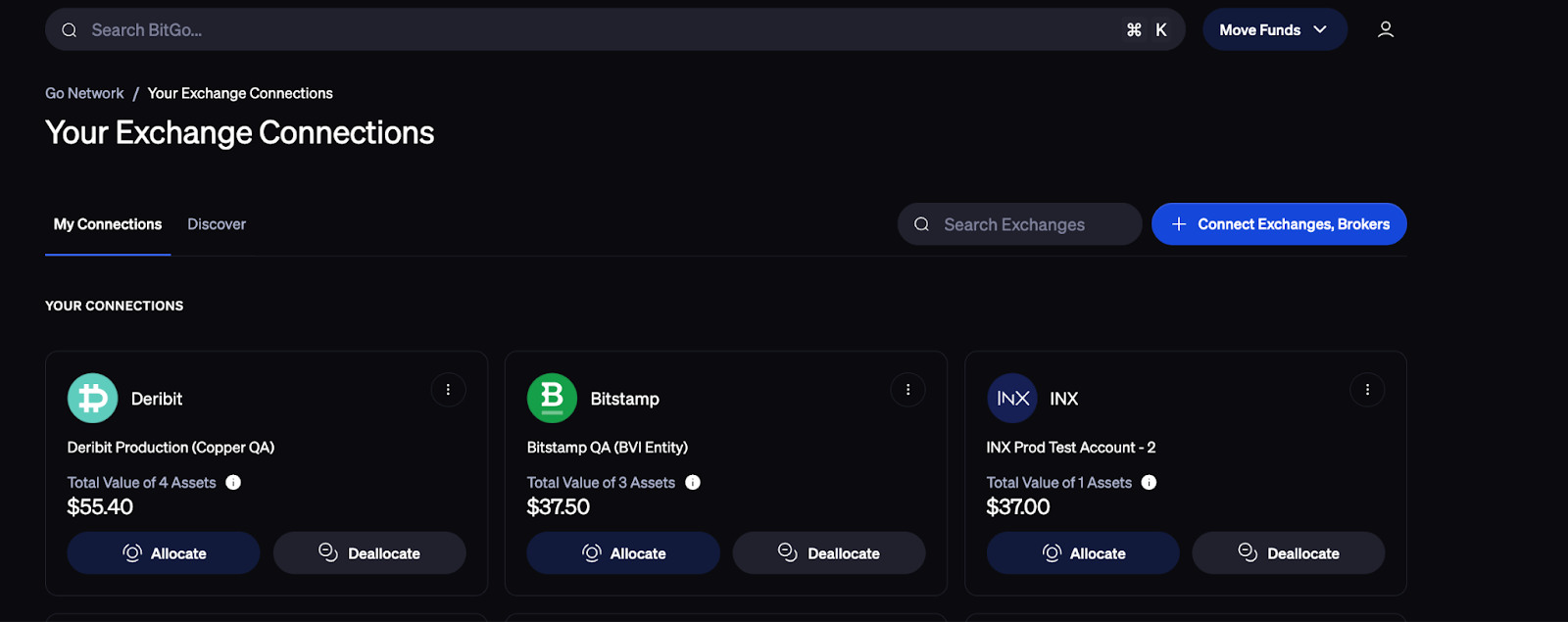
2. Click + Connect Exchanges, Brokers
3. Select the OES partner you would like to establish a connection with. Note:
You must be onboarded with BitGo and the OES partner to establish a connection
If there is an OES partner that is displayed but is greyed out/you are unable to click this means that the partner is only available through designated BitGo entities. Reach out to your BitGo point of contact for more information.
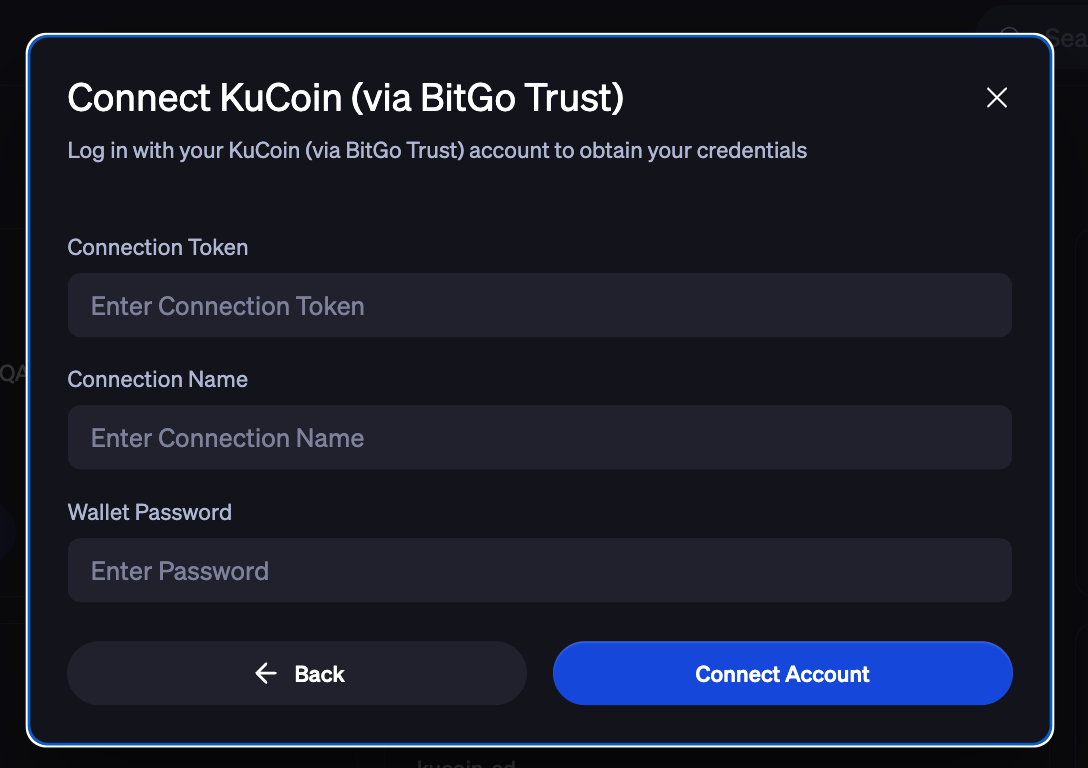
4. Enter your connection token and wallet password. Note: the connection token is obtained from the OES partner’s platform, see below onboarding guides for more information:
Allocate/Deallocate Funds
From the Go Network tab click Allocate to an Exchange, select Allocate or Deallocate.
Select the venue you would like to connect to in the drop down menu
Select the assets and amounts that you would like to allocate/deallocate to the venue for trading
Review your allocation/deallocation, sign and authenticate by entering your Go Account password before clicking Initiate Allocation. Note: Assets are not physically transferred to the OES partner when you make an allocation selection. The asset balances are only projected to the venue
Assets are only transferred at the predetermined settlement cadences established with the OES partner.
Exchanges will approve allocations/deallocations almost immediately.
All orders are placed on the OES partner’s platform, you will not be able to place orders from BitGo’s platform
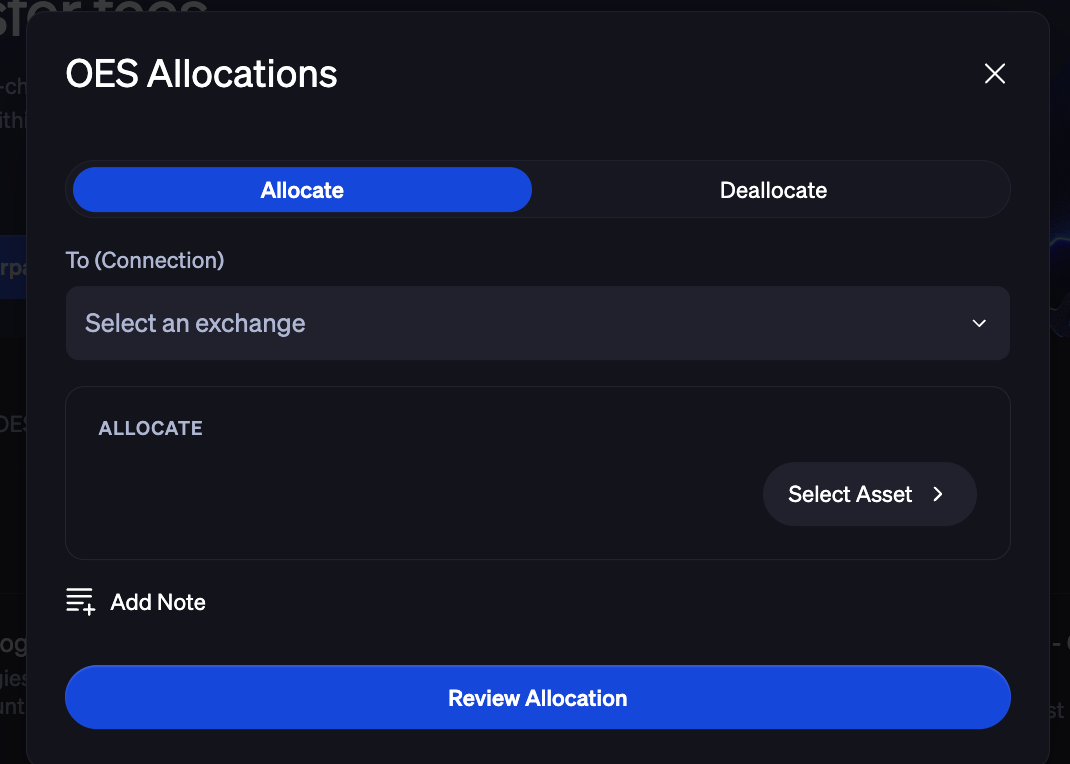
You can also Allocate and Deallocate funds from connected exchanges from the OES Allocations and Off-Exchange Settlements tabs as shown below.
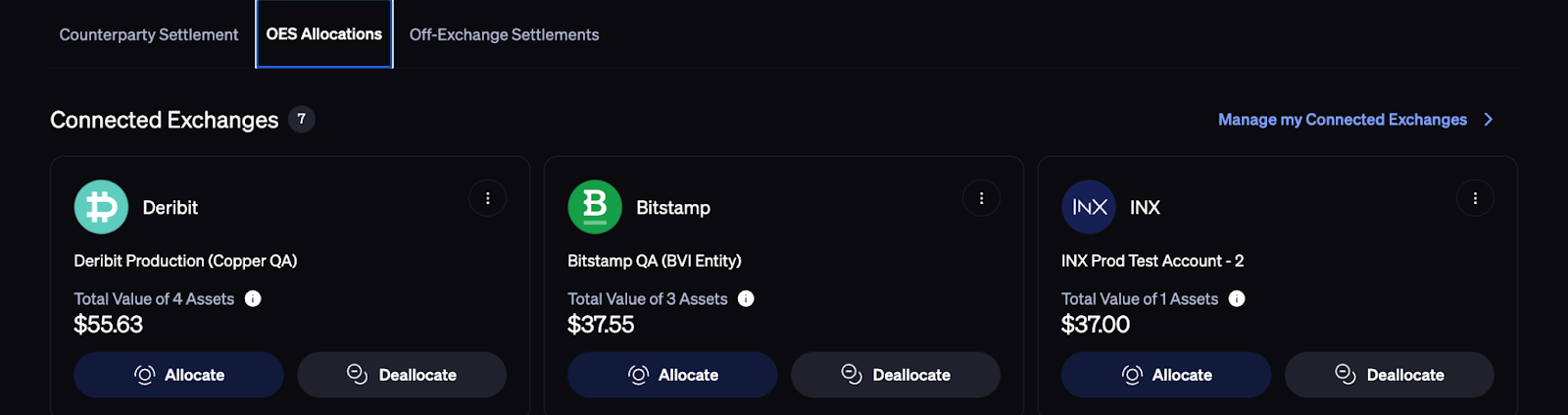
Allocation and Settlement History
The OES Allocations tab shows balances that have been allocated to connected exchanges. The Off-Exchange Settlements tab shows balances that have been settled with OES partners.
Assets Not Settled via OES
Depending on the OES partner, you will still be able to trade assets that aren’t on our preliminary list. These assets may not be settled via OES initially but BitGo and the OES partner build the necessary setup to facilitate future settlement.
For assets that are not settled via OES, you may see the one side of your trade debited from your BitGo balance without a corresponding credit for the asset. In this instance, assets will be custodied by the exchange, not BitGo. This means they will not be held in regulated qualified custody.
Your BitGo balance will reflect the current assets available through BitGo OES and may not reflect all your holdings at the exchange. If you later trade these assets back into ones available through BitGo OES, your BitGo balance will update to reflect those changes (pending settlement instructions from the exchange).
Place Orders with Go Network Partner Exchanges
BitGo solely safeguards assets and facilitates settlements via Go Network OES. You cannot trade with the OES partner through BitGo’s platform. In order to trade you must navigate to your desired OES partner’s platform, log in and trade using the wallet you allocated funds to through Go Network OES. You will also be able to view your trading history directly on the OES partner’s platform.
Settlement with Go Network Partner Exchanges
Settlement times are determined individually by each partner. As per our legal documentation with the exchanges, settlement will occur at least once every 24 hours. If you have any questions about specific settlement timing, or if a settlement doesn't appear as expected, please contact the respective exchange directly for clarification. Please refer to the OES Partner Matrix for more information.
BitGo takes settlement instructions from our OES partners who are responsible for all settlement instructions provided to BitGo and solely responsible for resolving any disputes.
If the OES partner provided erroneous settlement instructions, the OES partner has to correct such errors. Once a resolution is reached, both you and the OES partner must independently notify oes-disputes@bitgo.com by email with the outcome, including corrected amounts for settlement, and BitGo will close the dispute. The OES partner will then include the corrected amounts in the next settlement initiated.
BitGo will close the dispute within 24 hours of independently receiving instructions from both parties, not inclusive of weekends. If no suitable resolution is reached within 10 business days of the complaint you filed, BitGo will reverse the initial settlement instructions and return the original funds to both/either you and the OES partner.
Note: BitGo provides the ability to dispute a settlement amount although this is currently not available for all OES partners. Currently this dispute functionality if available for the following OES partners: KuCoin. Reach out to your BitGo representative for more information.
BitGo continuously monitors OES partner activity to protect your assets. If we detect suspicious behavior or potential malicious activity, we can implement protective measures to suspend operations with that partner.
Was this article helpful?
That’s Great!
Thank you for your feedback
Sorry! We couldn't be helpful
Thank you for your feedback
Feedback sent
We appreciate your effort and will try to fix the article