Sending Funds to a Custody Wallet
This article explains how to whitelist an address and complete video ID verification to send funds into a custody wallet.
To transfer assets from a segregated custody wallet to a Go Account, note that all transfers require a whitelisted address. To get started:
There are multiple ways to access Withdraw — for this example, navigate to the Home page and click the Withdraw button in the left sidebar
Select the asset you want to withdraw, the wallet you want to withdraw from, and the destination address.
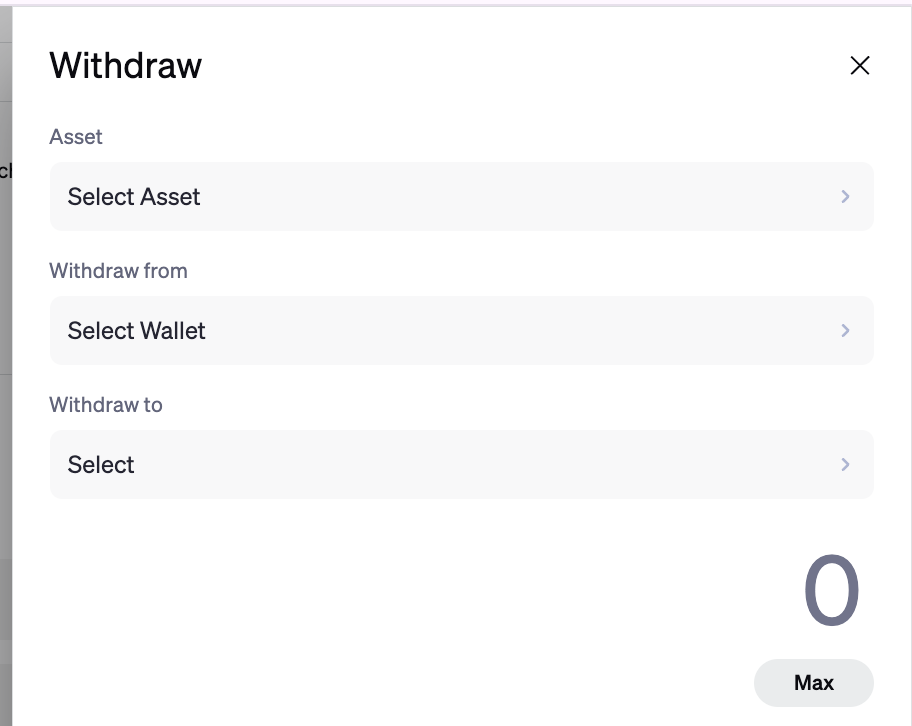
3. To add a new address, click + Add Whitelist
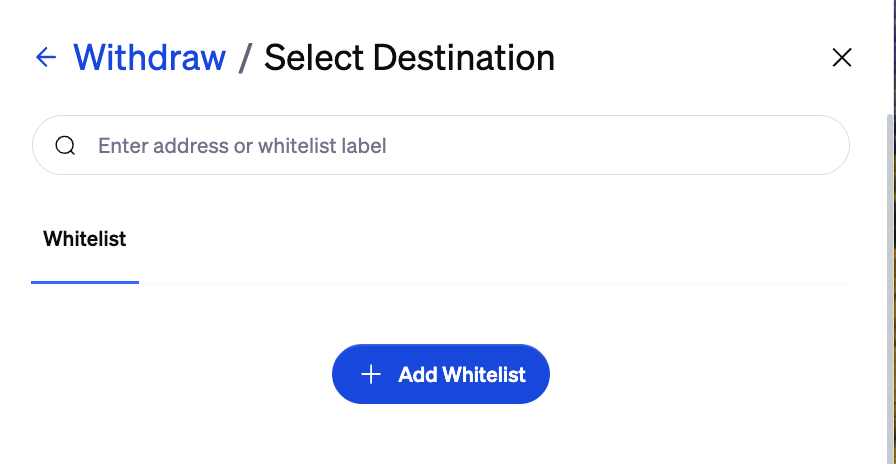
4. You will be taken automatically to the Whitelist Addresses page. Note: The first time you send funds to a newly whitelisted address, you will be prompted for an additional identity verification, such as a liveness check. This verification step is waived for transfers to the following internal destinations within your own organization:
Custody wallets
Gas tanks
Go Accounts
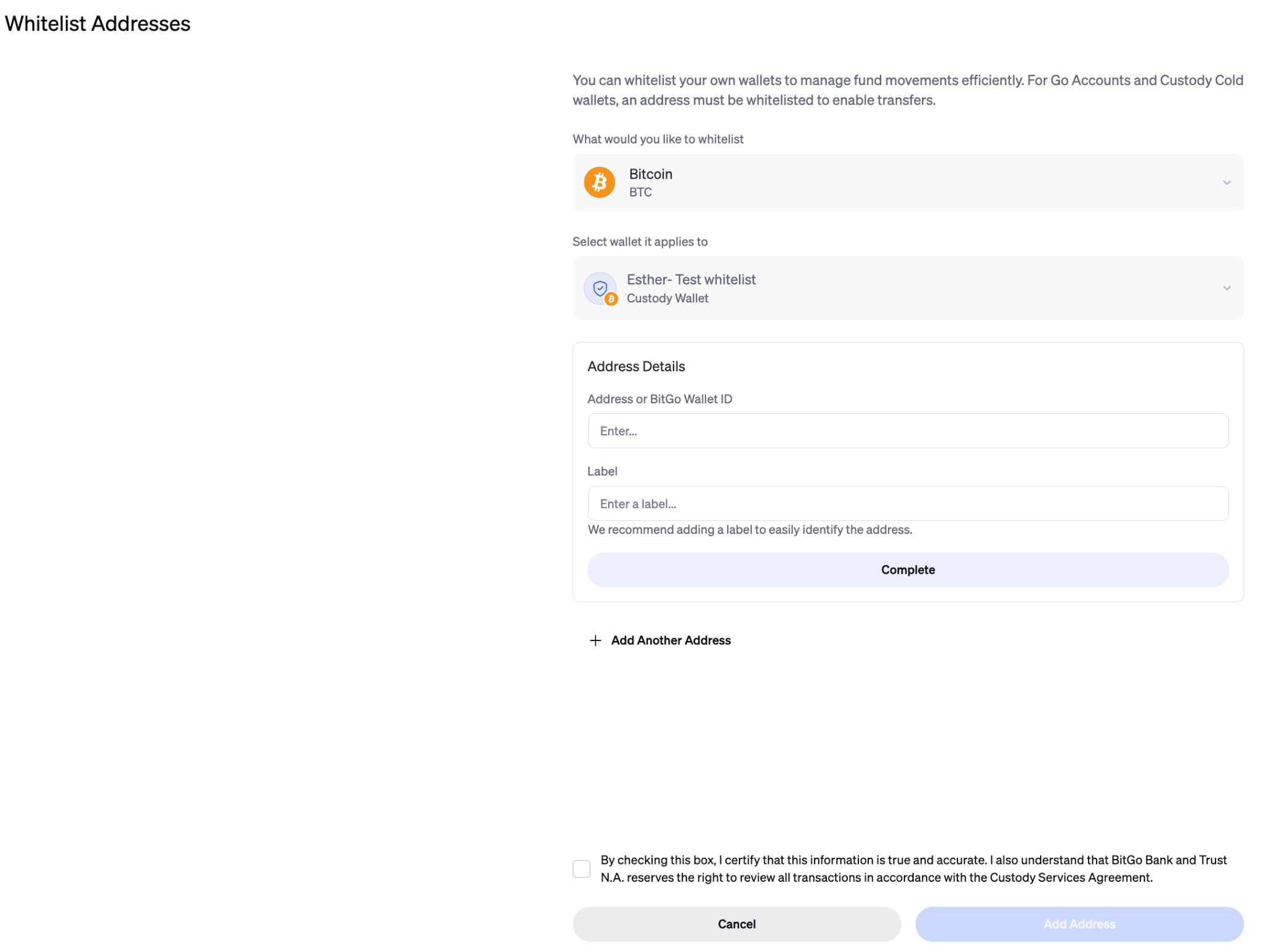
5. You can add a new address to your whitelist in three ways:
Enter a specific Receive Address
Select from your existing My BitGo Wallets
Use a BitGo Wallet ID (recommended for internal transfers)
For this guide, we will select the first option, Receive Address
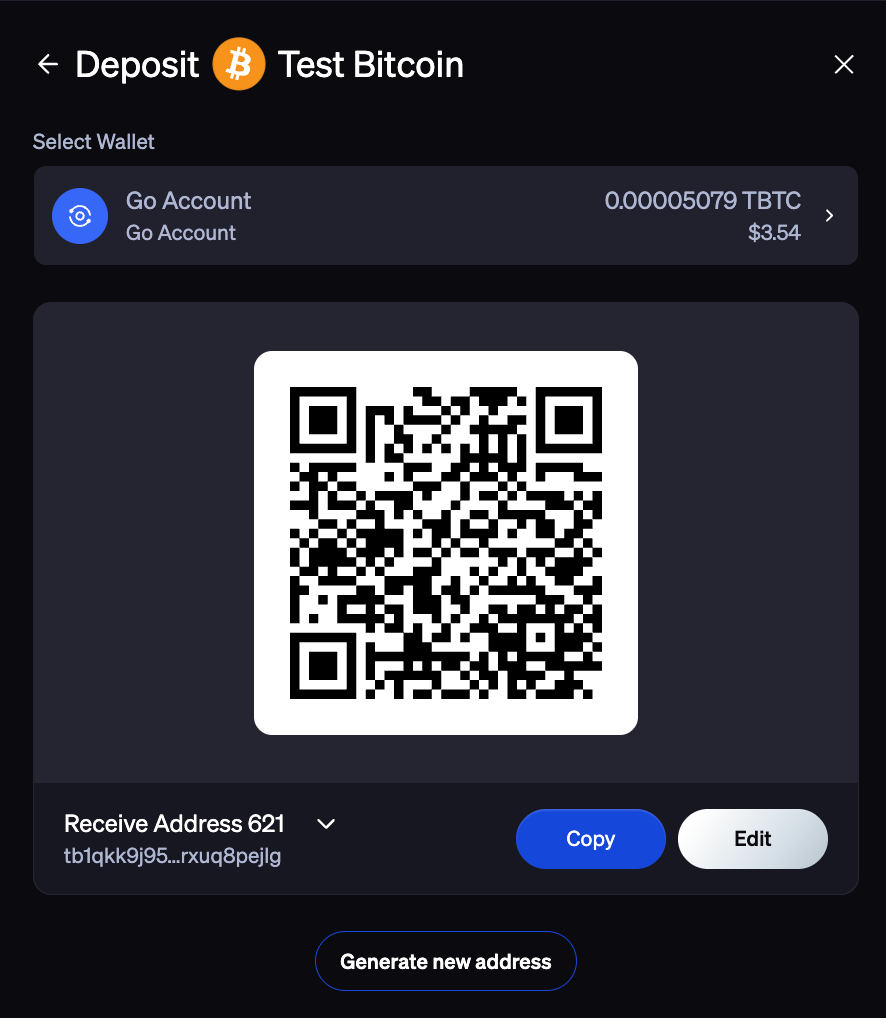
6. To obtain your Receive Address, go into your Go Account and select the asset you plan to move from cold-custody into your Go Account, and therefore want to whitelist (ex: Bitcoin). Click the Deposit button. The deposit address for that asset will be displayed. Click Copy to Clipboard
5. From here, you will return to Step 3 with the copied blockchain address. Paste the receive address and click Whitelist Address to complete the Whitelist
6. From here, you’ll receive an email notification about a policy change to enable withdrawals from your cold custody wallet. To do this, you must first complete a Video ID verification by booking a time in the link provided via or here.
What to Expect for a Video ID Verification
Schedule Your Call: Open the email and use the link provided to schedule a brief video call with our Trust Team
Complete Verification: Attend the scheduled call to complete the Video ID check and verify your identity
Once your verification is complete, you can then withdraw funds from a cold custody wallet to transfer into your Go Account
Was this article helpful?
That’s Great!
Thank you for your feedback
Sorry! We couldn't be helpful
Thank you for your feedback
Feedback sent
We appreciate your effort and will try to fix the article