Staking from your Go Account
You can stake directly from your Go Account using two supported assets: SOL and SUI. Staking is available in the US, EU, and Singapore (for accredited investors only). It is not currently available in MENA.
There are two ways to get started:
1. Navigate to Earn > Stake. Then select the asset you want to stake and select Go Account under the wallet you want to Stake From.
2. From your Portfolio dashboard, go to Wallets and click Go Account. From your Go Account, select Stake.
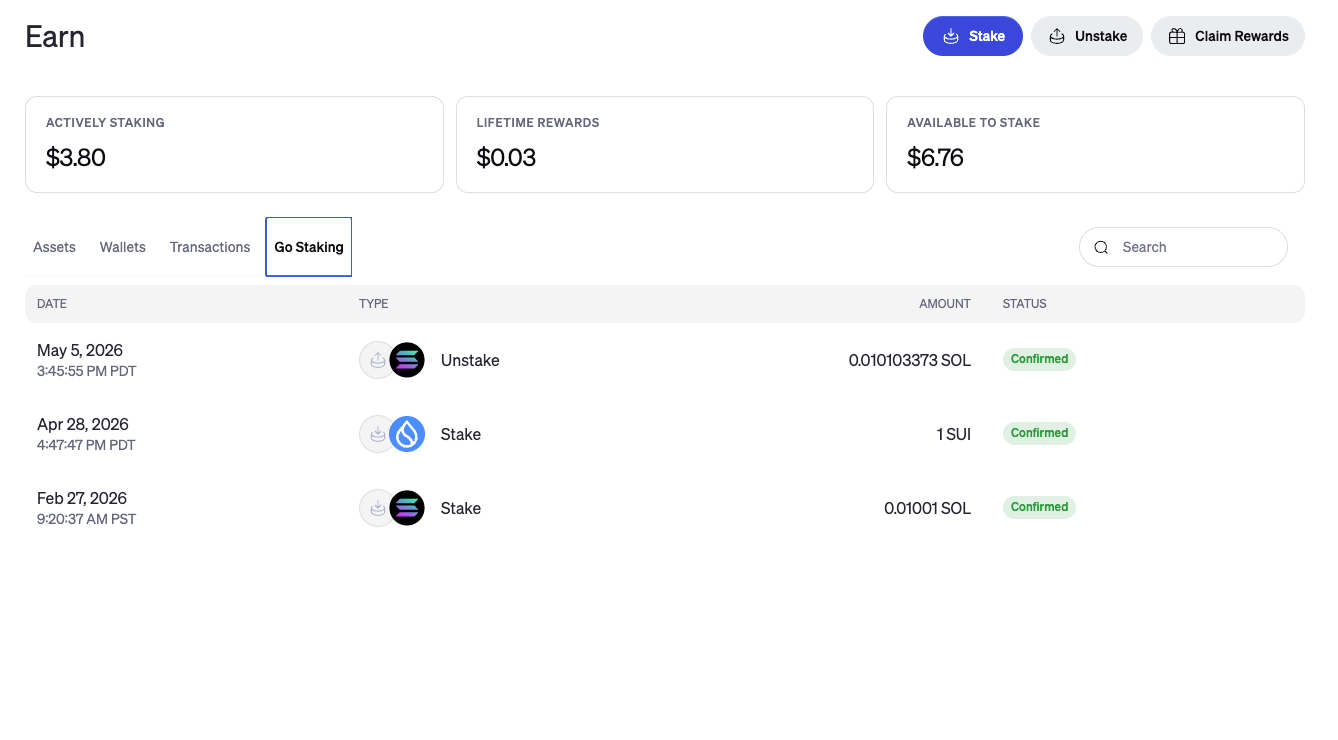
Viewing Staking Transactions for your Go Account
Go to Earn and then the Go Staking tab to view your staking transactions out of this account.
Viewing Staking Balances for your Go Account
Go to Earn and from the Wallets tab, select your Go Account. From the Go Account page , you will be able to view your staking balances.
Was this article helpful?
That’s Great!
Thank you for your feedback
Sorry! We couldn't be helpful
Thank you for your feedback
Feedback sent
We appreciate your effort and will try to fix the article