Funding your Go Account
With Crypto
In the Home Page screen, select Deposit.
After clicking Deposit the next screen will ask you to Select Asset. Select your asset and then you will be directed to Select Wallet. Once you do, a QR code with your address should be generated.
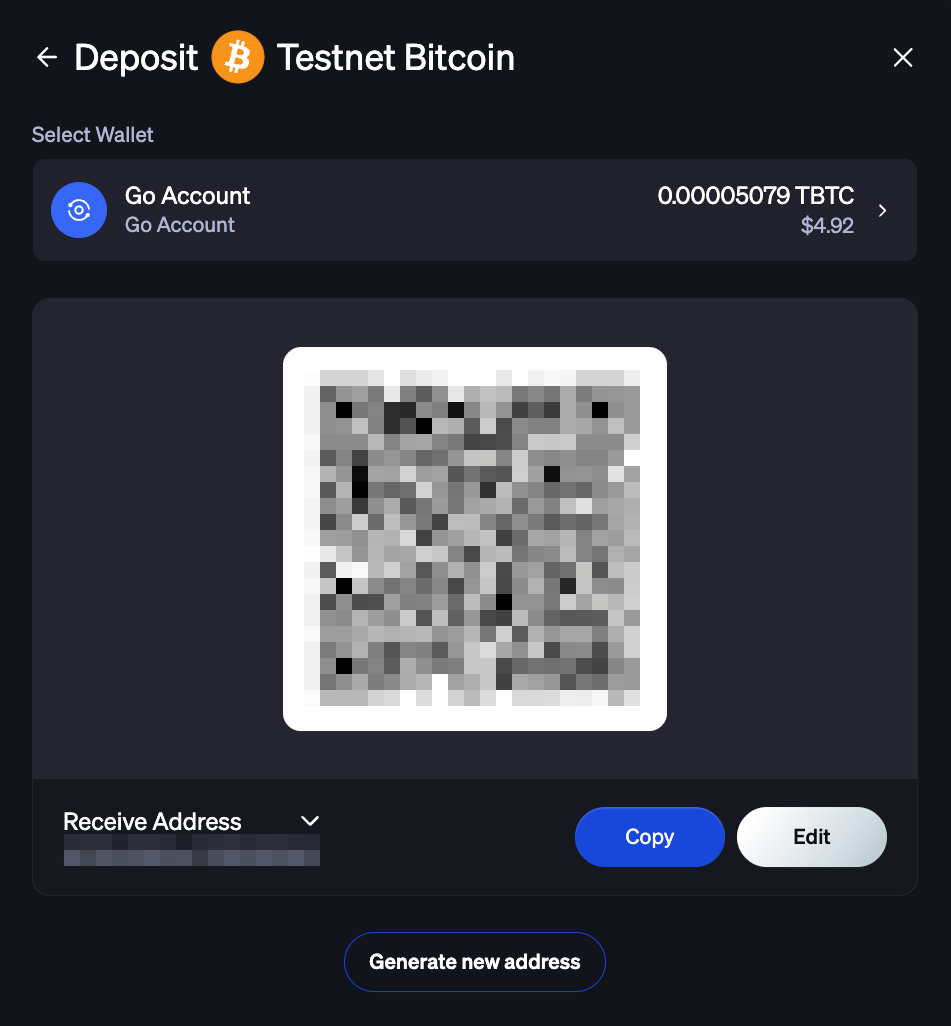
The platform uses the destination address to ensure that the client is credited with the deposit. Use the displayed address as the address to move assets from an external wallet into your Go Account.
With Fiat
Fiat deposits are made in the same way as digital asset deposits. Navigate to the Home screen, Select Deposit > Select Asset. Once your fiat has been selected, select where you want to Deposit from. You will have the option to choose from a BitGo Banking Partner from the options provided in platform or Cubix if you are an enterprise. To complete the deposit, follow the on-screen instructions.
MemoID
At your bank, create a wire transfer to send funds to the correct BitGo account. When completing the wire transfer, make sure to enter your BitGo MemoID in the Memo or Additional Information field — include only the Memo ID and nothing else.
Your BitGo Memo ID can be found at the bottom of the on-screen instructions in the BitGo Platform — click Copy to copy it. BitGo generates a unique Memo ID for each client to ensure deposits are credited to the correct trading account.
If you are unable to include a Memo ID, contact our team after your wire transfer at support@bitgo.com.
Was this article helpful?
That’s Great!
Thank you for your feedback
Sorry! We couldn't be helpful
Thank you for your feedback
Feedback sent
We appreciate your effort and will try to fix the article