Withdrawing Funds Back to BitGo
Step 1: On Hyperliquid, start a withdrawal. This moves funds from the Hyperliquid app back to HyperEVM, on their way to your BitGo wallet.
Step 2: Sign the withdrawal transaction on BitGo.
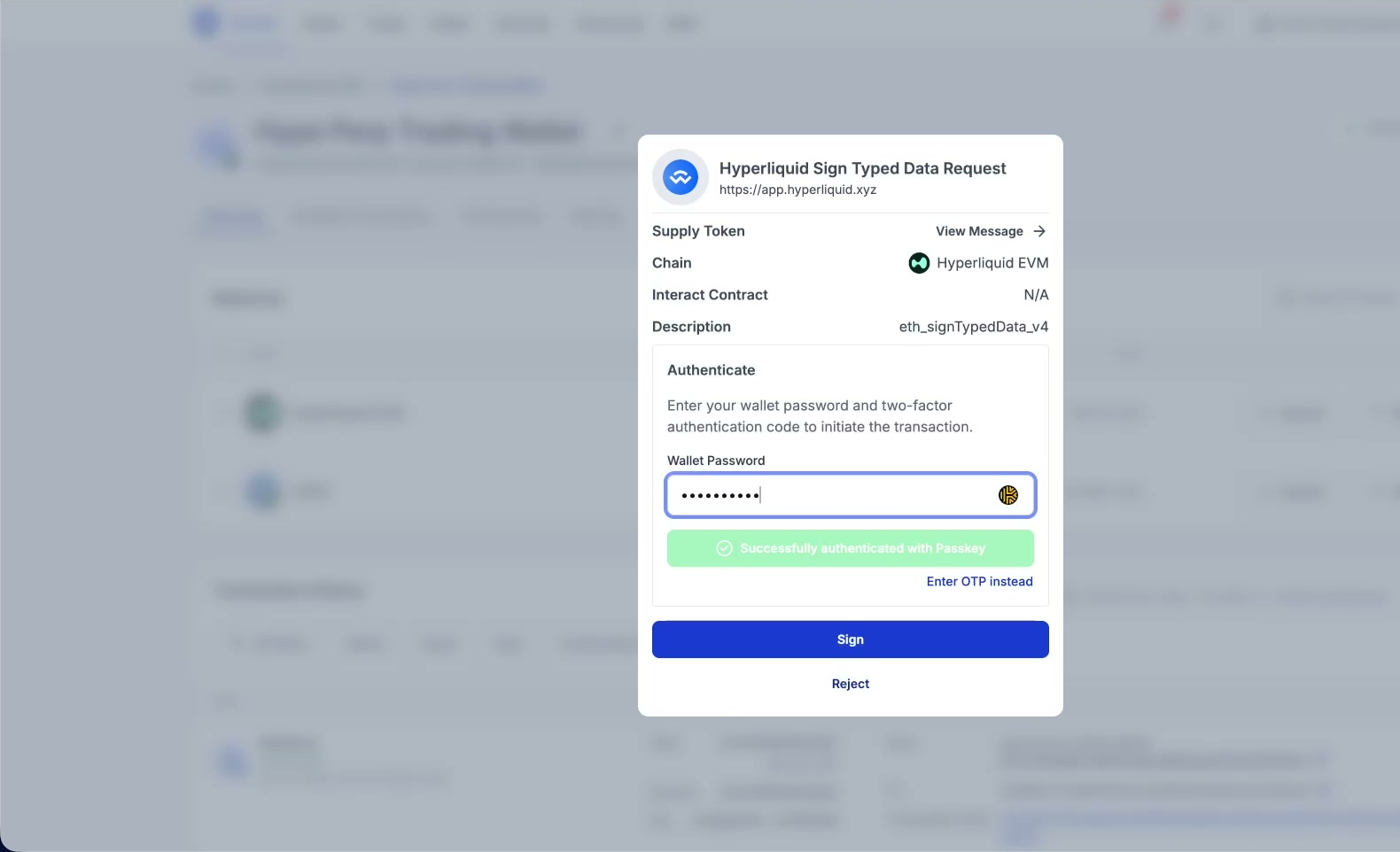
Signing the withdrawal transaction on BitGo.
Note: As with any BitGo transaction, a withdrawal may require approval from another authorized user before it executes, depending on your wallet’s policy.
Step 3: Funds land back in your BitGo wallet, shown in Transaction History as a confirmed deposit.
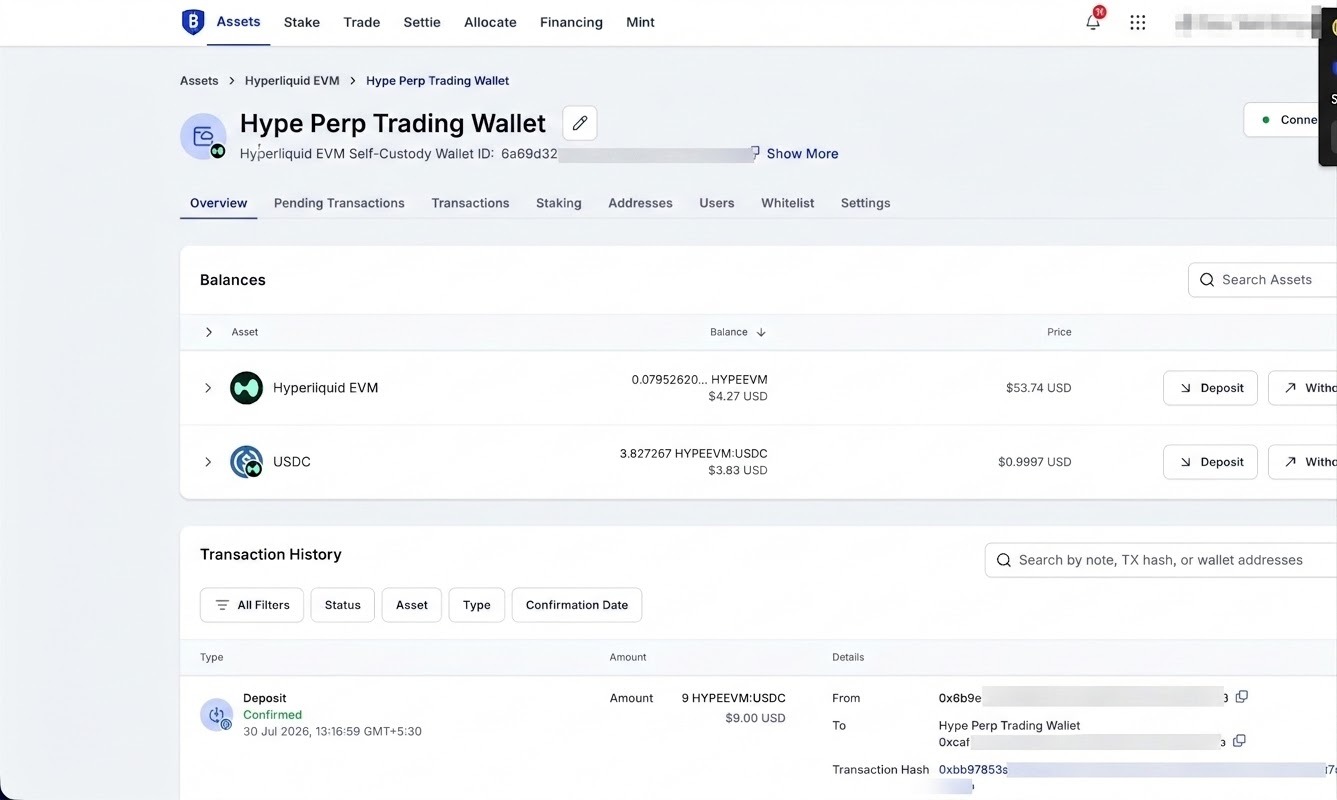
Funds confirmed back in the BitGo wallet.
Proceed to Hyperliquid x WalletConnect Frequently Asked Questons
Was this article helpful?
That’s Great!
Thank you for your feedback
Sorry! We couldn't be helpful
Thank you for your feedback
Feedback sent
We appreciate your effort and will try to fix the article