Trading on Hyperliquid
No BitGo signature is required to place, modify, or close trades. Your funds are already on Hyperliquid, and the gas-free trading signature from Section 1 covers every order.
Step 1: Create an order: choose your asset, direction, leverage, and size, then place the order.
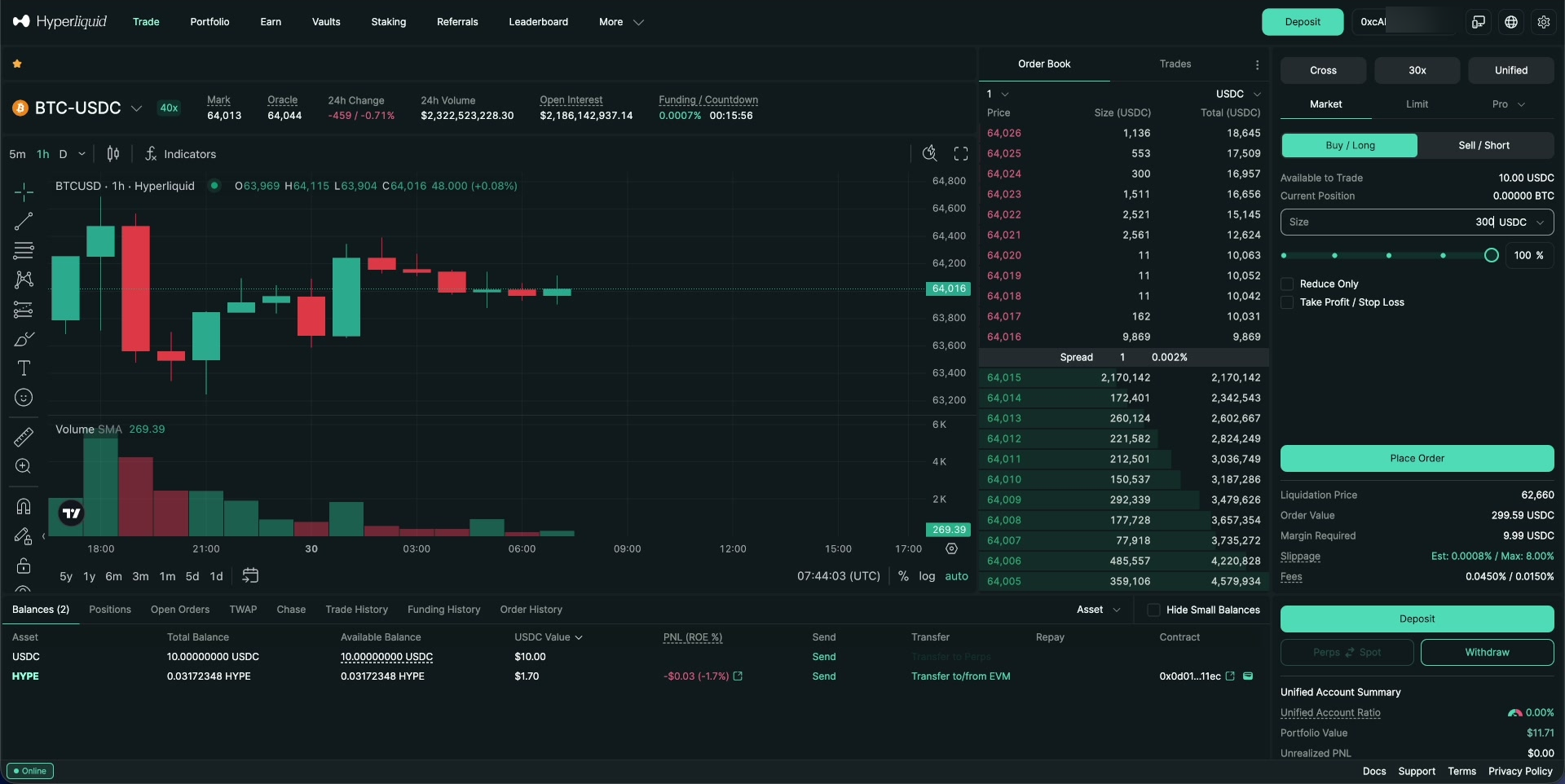
Placing an order on Hyperliquid.
Step 2: View and modify your open positions, including take-profit and stop-loss, from the Positions tab.
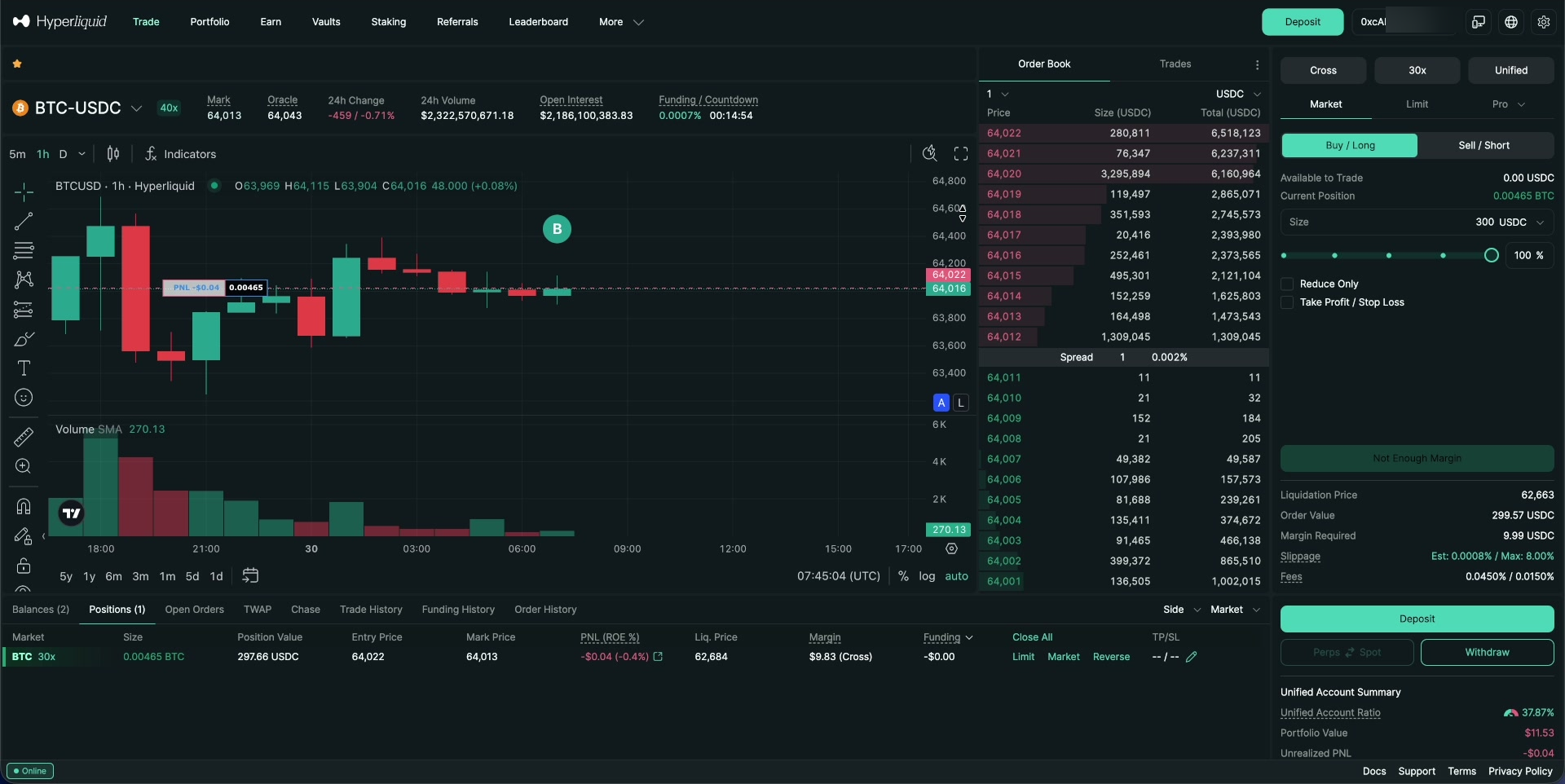
An open position, with modify and close controls.
Step 3: Check the status of past and open orders from the Order History tab.
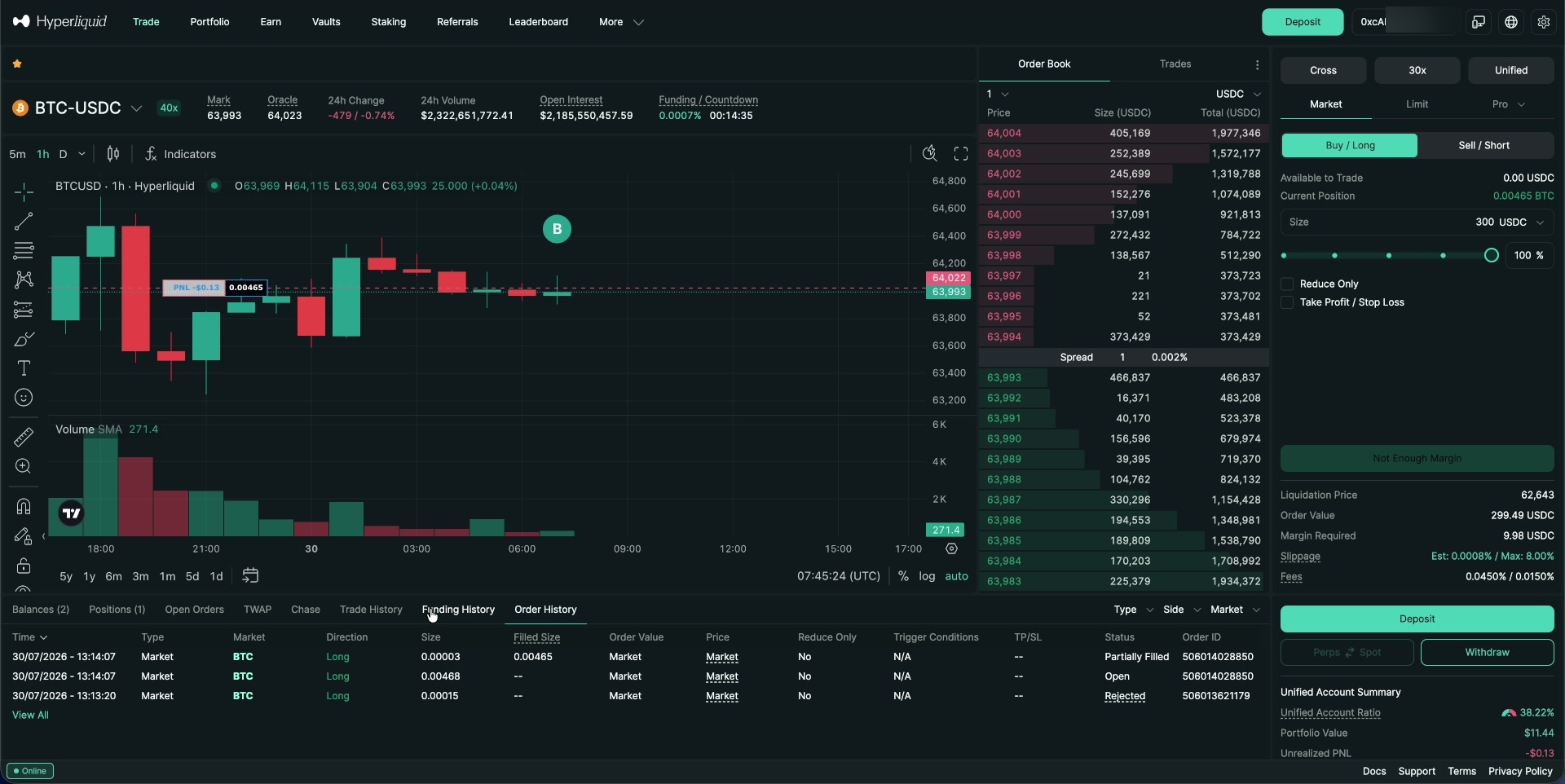
Order history, showing filled, open, and rejected orders.
Step 4: Close a position when you are ready to exit.
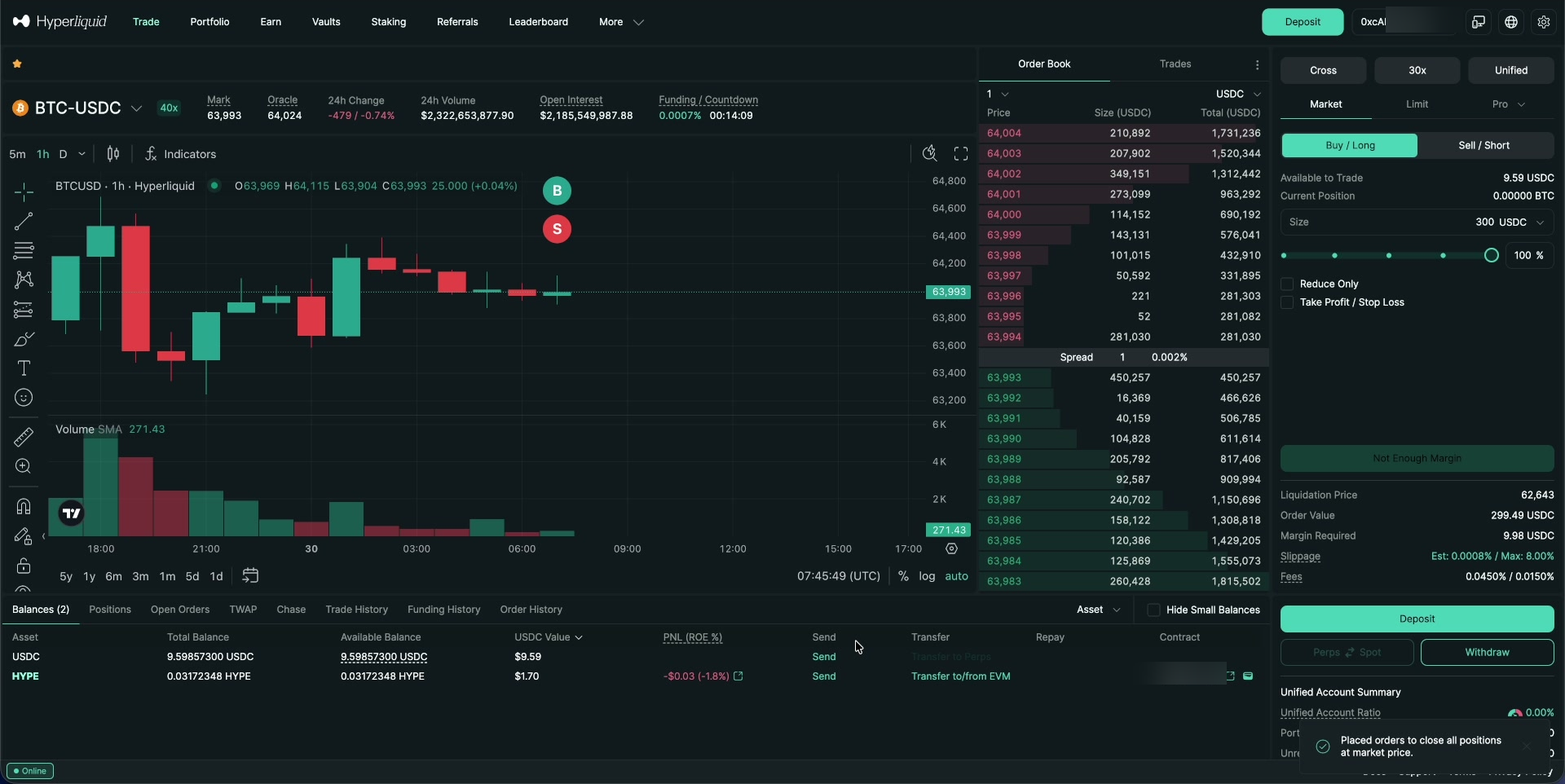
Closing a position on Hyperliquid.
Proceed to Section 4: Withdrawing Funds Back to BitGo
Was this article helpful?
That’s Great!
Thank you for your feedback
Sorry! We couldn't be helpful
Thank you for your feedback
Feedback sent
We appreciate your effort and will try to fix the article