Link Your External ByBit Exchange Account
This guide covers how to create an API keys on the ByBit exchange to Link your account to BitGo.
Before you start
- Make sure you're on your main ByBit Account.
- You'll create the API key in ByBit's API Key Management page, then enter the credentials into BitGo.
1. Create the API key on ByBit
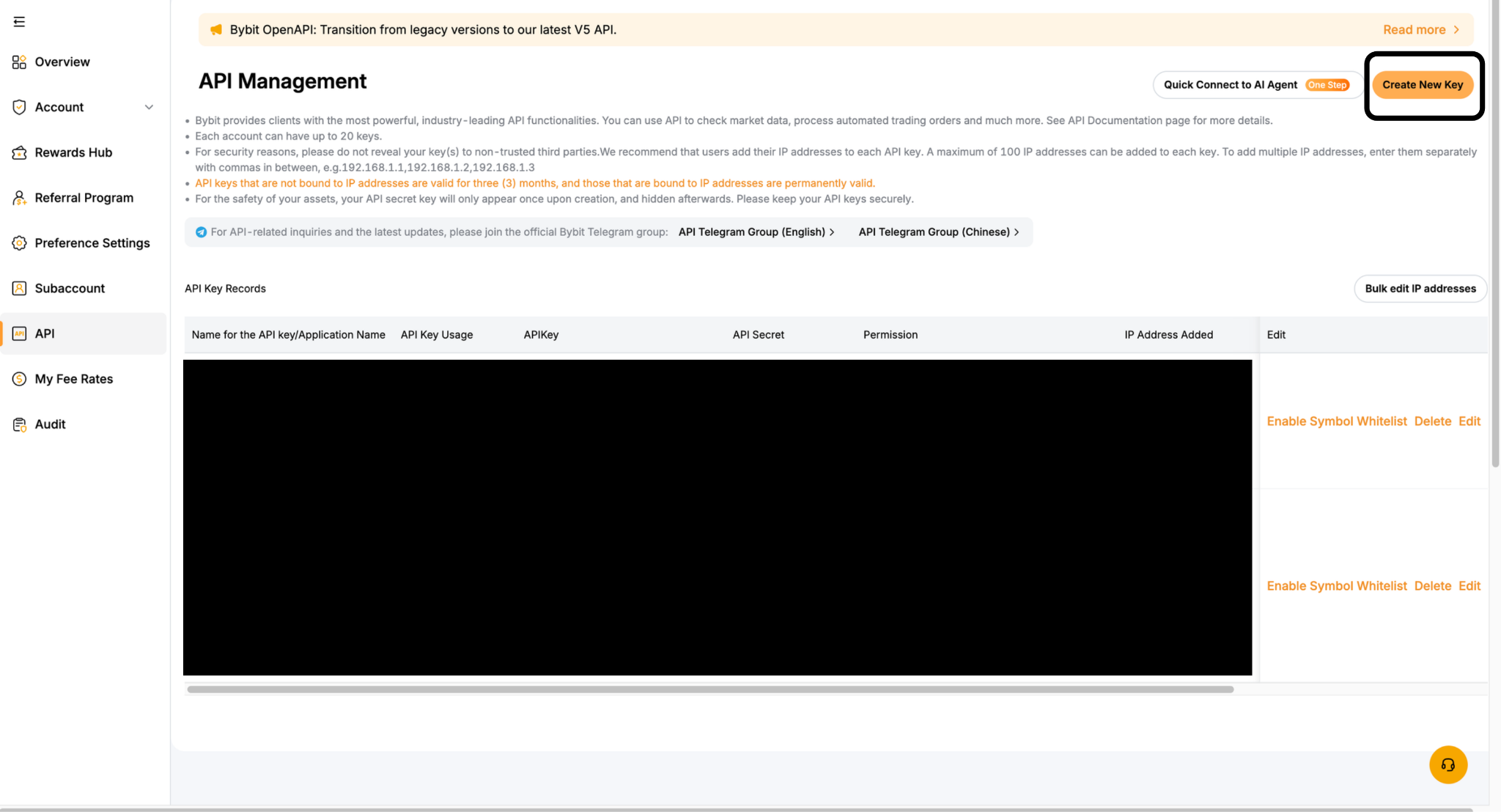
In API Key Management, click Create New Key
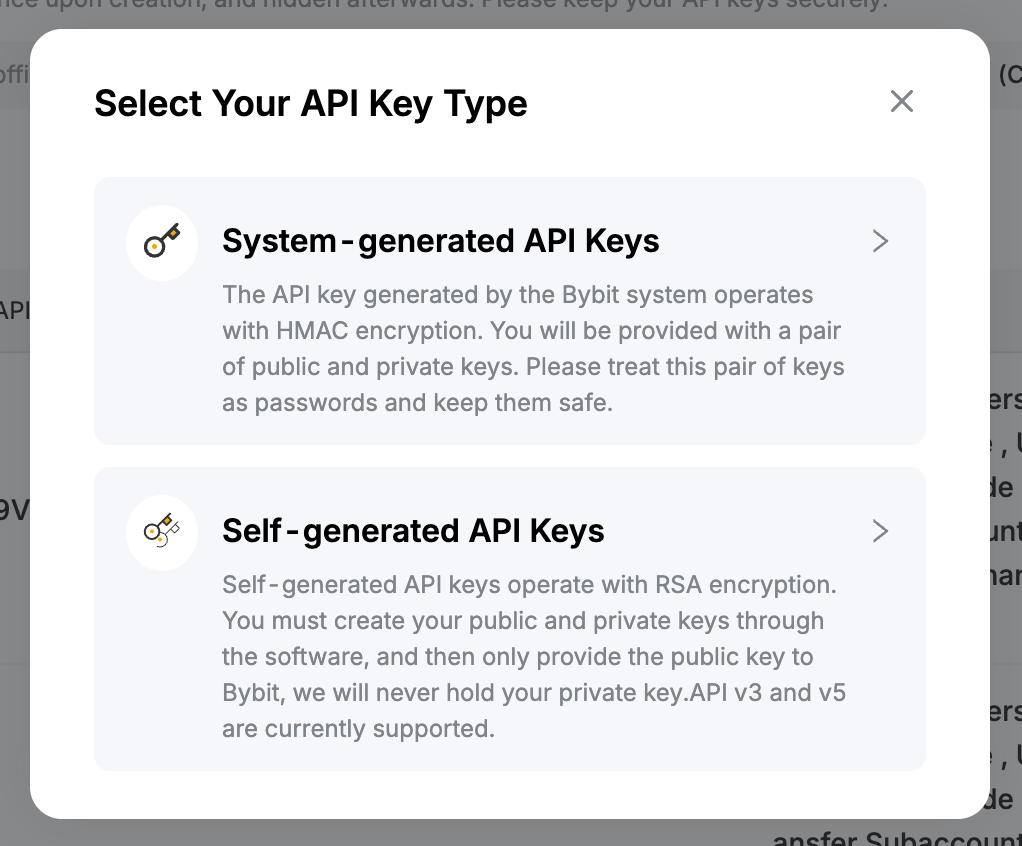
Configure the key as follows:
API Key Type: System-generated API Keys
API Key Usage: API Transaction
API Key Permissions: Read-Write (recommended)
IP Permissions — select Only IPs with permissions granted are allowed to access the API (recommended) and allowlist these addresses:
- 54.201.131.213
- 52.39.41.139
- 52.43.255.93
- 35.164.184.184
- 54.214.57.139
- 18.220.107.76
- 18.222.87.170
- 3.137.109.219
- 18.156.154.77
- 52.59.4.20
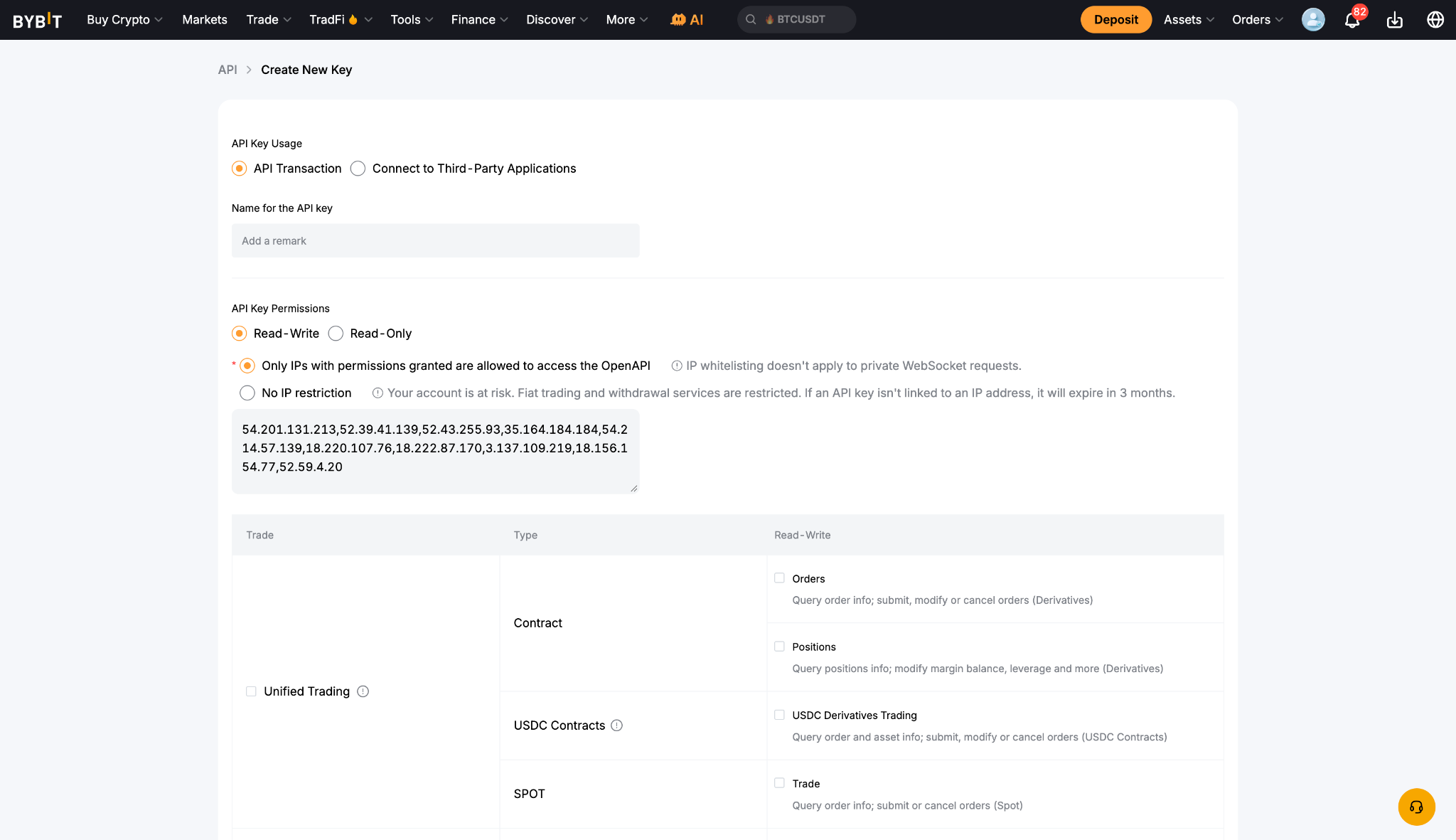
Permissions — set the appropriate level for each permission type:
Unified Trading
Earn
Fiat Trading
Assets
Click Submit and complete the security verification. ByBit will then display your Key and Secret.
2. Link your account on BitGo
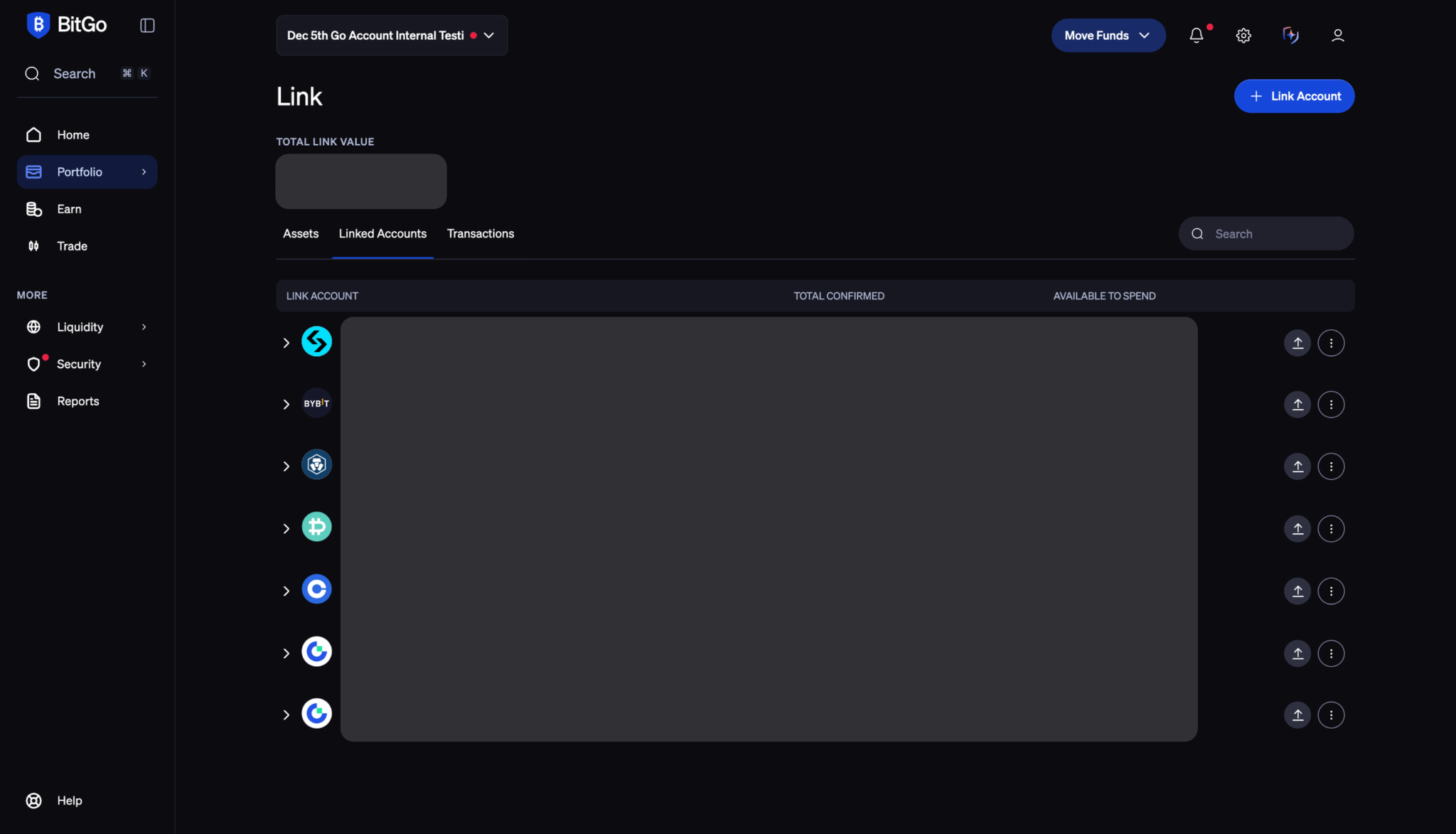
Navigate to the Portfolio tab in BitGo and click + Link Account in the top-right corner.
Select ByBit.
Enter your API Key and Secret Key, then click Connect Account.
Was this article helpful?
That’s Great!
Thank you for your feedback
Sorry! We couldn't be helpful
Thank you for your feedback
Feedback sent
We appreciate your effort and will try to fix the article