Link Your External Deribit Exchange Account
This guide covers how to create an API keys on the Deribit exchange to Link your account to BitGo.
Before you start
Make sure you're on your main Deribit account.
You'll create the API key in Deribit's API section, then enter the credentials into BitGo.
1. Create the API key on Deribit
In the API section, click Add New Key and select Deribit Generated Key configure it as follows:
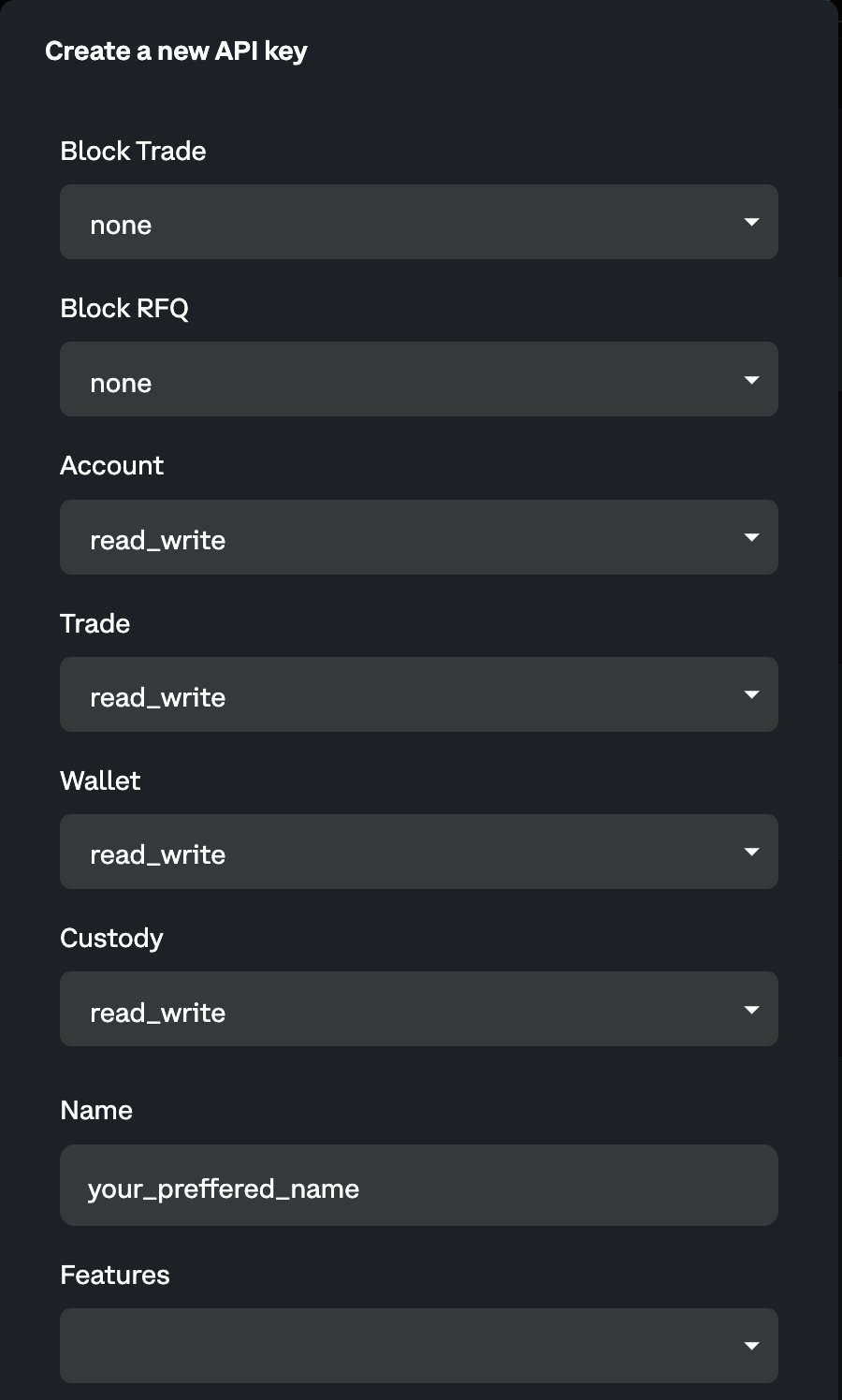
IP Allowlist — allowlist these addresses:
- 54.201.131.213
- 52.39.41.139
- 52.43.255.93
- 35.164.184.184
- 54.214.57.139
- 18.220.107.76
- 18.222.87.170
- 3.137.109.219
- 18.156.154.77
- 52.59.4.20
After submitting, Deribit will display your key details.
2. Link your account on BitGo
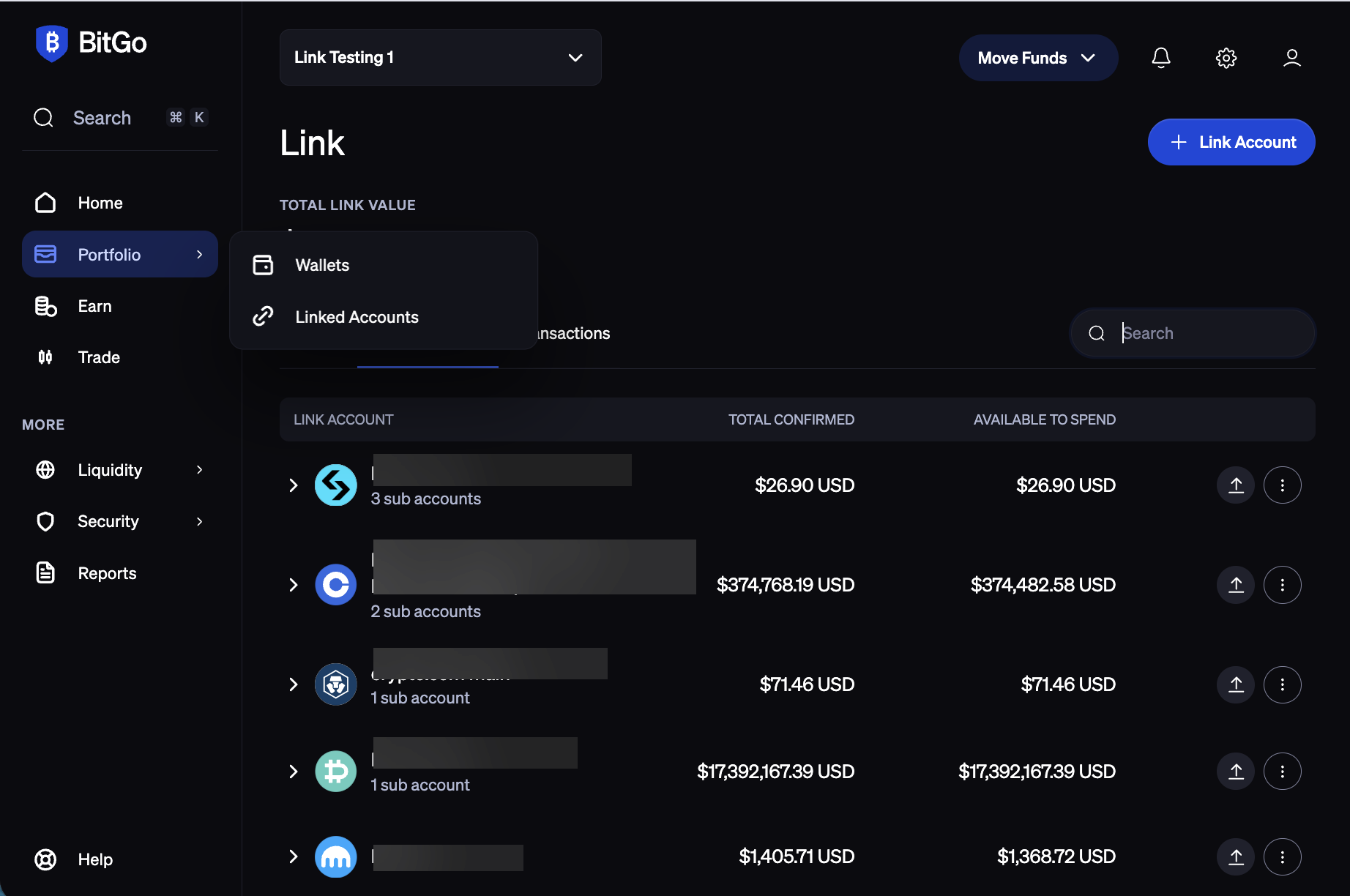
Navigate to the Portfolio tab in BitGo and click + Link Account in the top-right corner.
Select Deribit.
Enter your Key under API Key and your Secret under API Secret, then click Connect Account.
Linking a Sub-account
Configure Deribit API Keys: Select your desired sub-account and navigate to its API key page. Just like the main account, configure the API keys by adding the required permissions and IP addresses. (Note: Deribit may require you to set up a separate 2FA or passkey for the sub-account.)
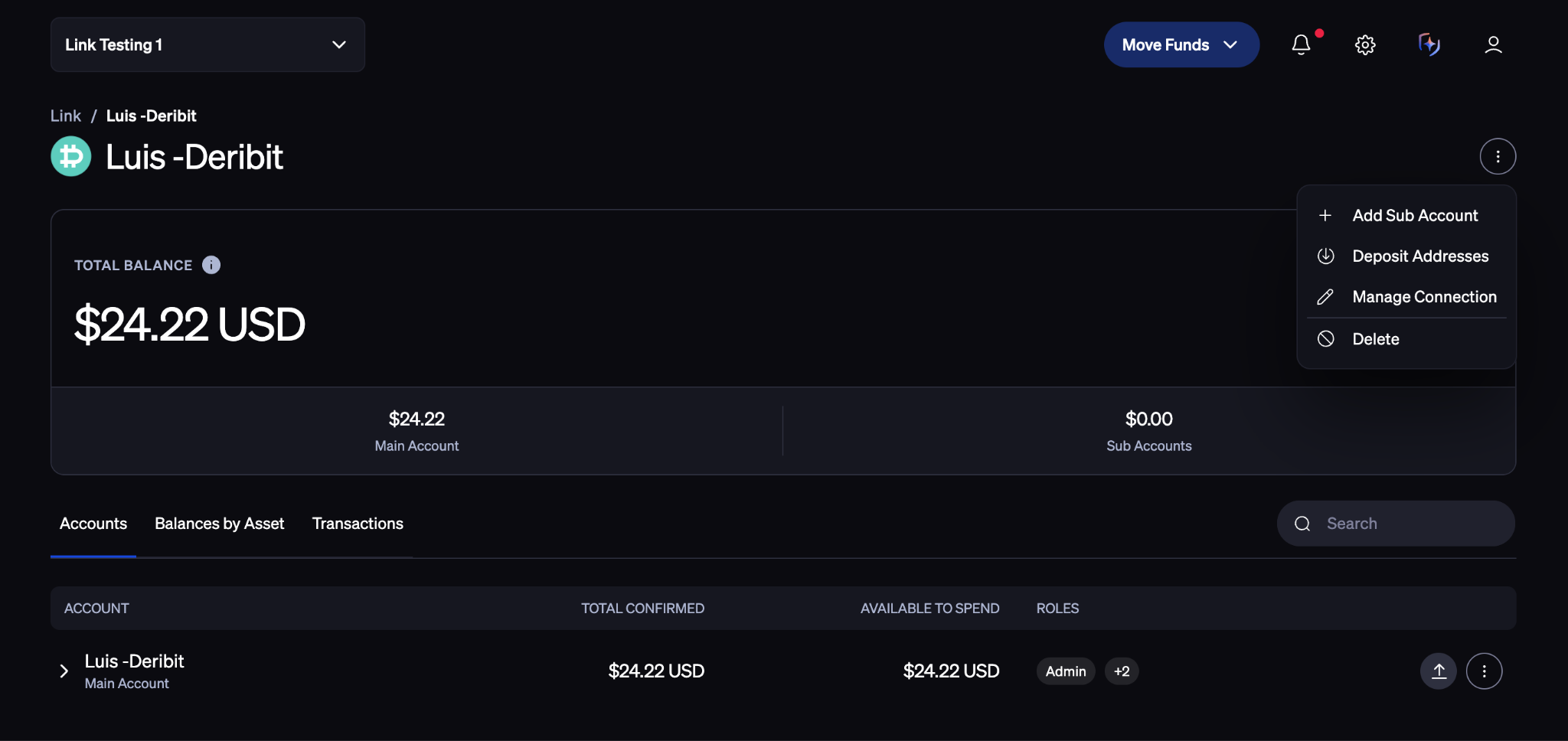
Connect in BitGo: In the BitGo UI, go to the Deribit linked account details page. Click the menu button in the top-right corner and select Add Sub-Account.
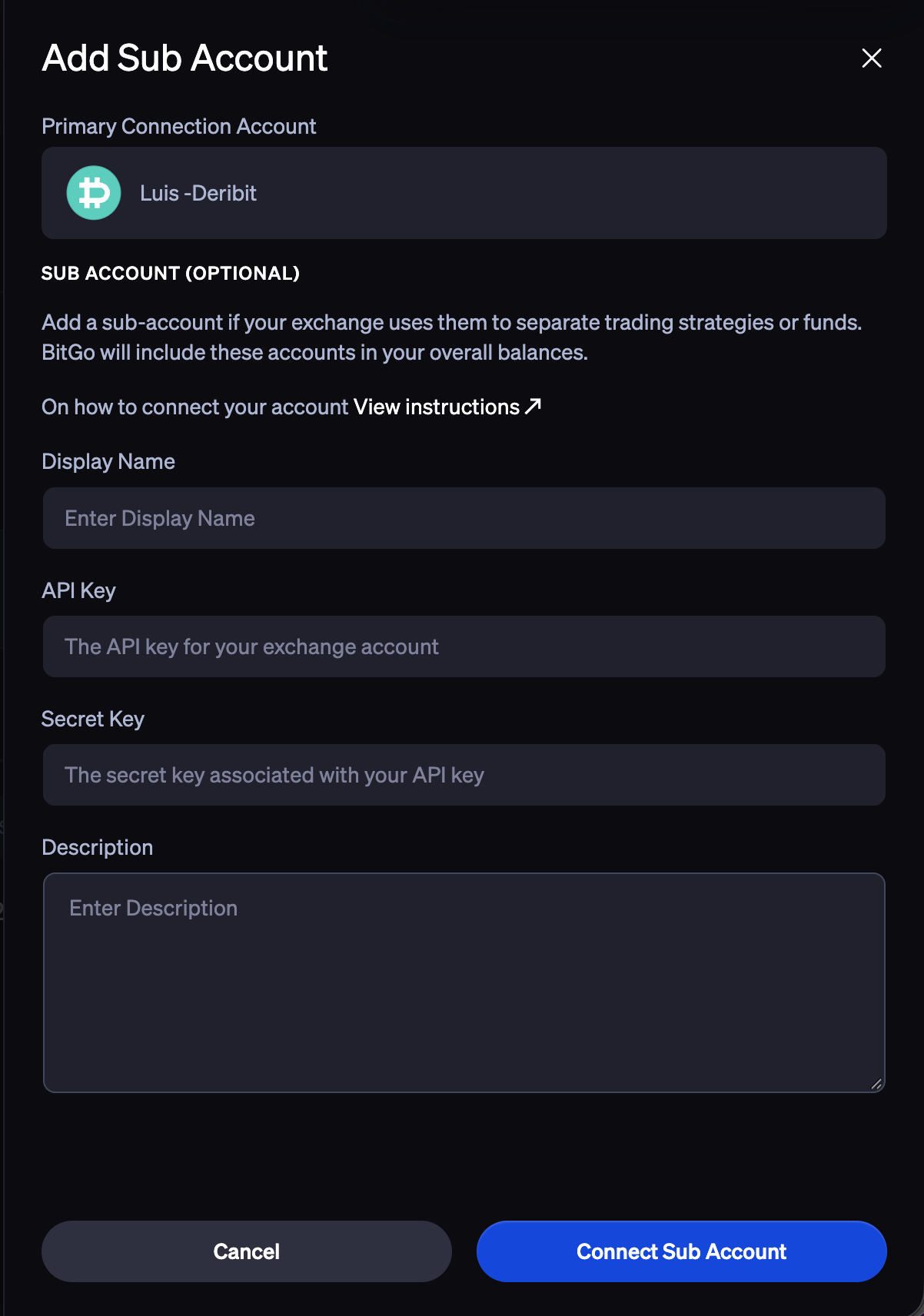
Finalize: Enter your preferred name, a description, and the API Key and Secret generated from Deribit, then submit.
Note:
Deposits to Deribit: For deposits exceeding $953, you are required to log in to the Deribit website and provide Travel Rule information. For more details, please refer to this page.
Withdrawals from Deribit: By default, Deribit requires email confirmation for all withdrawals. For a more seamless experience, you can disable this requirement for specific saved addresses via the Address Book on the Withdrawals page. Please see the screenshot below and refer to this page for more information.

Was this article helpful?
That’s Great!
Thank you for your feedback
Sorry! We couldn't be helpful
Thank you for your feedback
Feedback sent
We appreciate your effort and will try to fix the article